
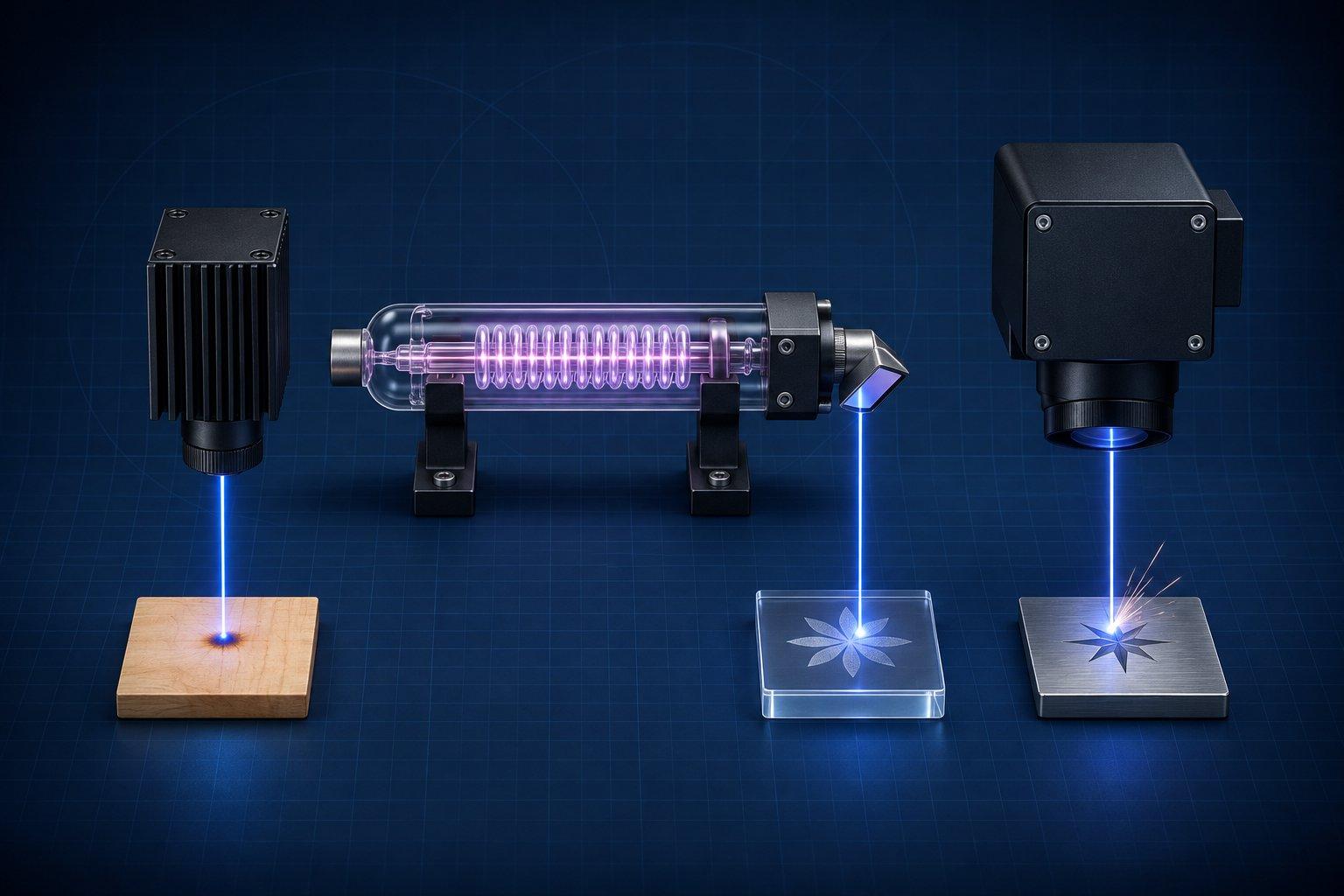
Choose the laser by the material, because wavelength decides what absorbs the beam. A CO2 laser (10.6 µm) cuts and engraves non-metals, including clear acrylic and glass. A fiber laser (1064 nm) marks and engraves bare metal. A blue diode laser (about 450 nm) is the lower-cost option for wood, leather, paper and dark acrylic, but it cannot process clear materials and only darkens the surface of some metals.
The caveat that matters: more watts do not fix the wrong wavelength. A 40 W diode still passes through clear acrylic, and a 100 W CO2 tube still will not mark bare stainless without a coating. Pick the wavelength first, then the power.
Fiber vs CO2 vs diode: the short decision table
| Feature | Blue diode | CO2 | Fiber |
|---|---|---|---|
| Wavelength | About 450 nm (visible blue) | 10.6 µm (far infrared) | 1064 nm (near infrared) |
| Best at | Engraving and light cutting of wood, leather, paper, dark acrylic; slate and coated metal engraving | Cutting and engraving wood, acrylic of any color, leather, fabric, paper; engraving glass and stone | Marking, deep engraving and thin cutting of metals; high-contrast marks on some plastics |
| Cannot do | Clear acrylic, clear glass without a coating, deep metal engraving | Bare metal without a marking compound | Wood, clear acrylic, glass |
| Usual motion system | Gantry | Gantry | Galvo |
| Usual work area | Bed-sized, desktop | Bed-sized, desktop to large format | 150 x 150 mm to about 220 x 220 mm |
| Cooling | Air (fan) | Water for glass tubes, air for RF metal tubes | Air (fan) |
| Source wear | Diode module ages slowly with heat | Glass tube is a consumable | Longest-lived source of the three |
Why wavelength decides what a laser can engrave
A laser only works on a material that absorbs its light. Energy that is transmitted or reflected does nothing to the workpiece. xTool's material guide puts it directly: transparent materials transmit visible lasers without absorbing their energy, and most metals are highly reflective, especially to a 10.6 µm CO2 beam.
The wavelengths you will meet in desktop machines:
- About 450 nm, blue diode. Visible light. Absorbed by dark, opaque organics. Passes through clear materials and reflects off white and blue ones.
- 10.6 µm, CO2. Far infrared. Absorbed by wood, leather, paper, glass and acrylic of every color. Reflected by bare metal.
- 1064 nm, fiber. Near infrared. Absorbed by metals. Trotec notes that a fiber laser's very small focal diameter gives up to 100 times the intensity of a CO2 laser at the same average power.
- 1064 nm, infrared diode modules. Low-power heads (2 W on the xTool F1 and S1, 5 W on the F2) that add fiber-like metal and plastic marking to a diode machine. Same wavelength as fiber, far less power.
- 355 nm, UV. Ultraviolet. xTool describes its 5 W UV source as cold processing that breaks molecular bonds instead of burning. It is the specialist for glass, crystal and heat-sensitive plastics.
Material compatibility matrix: diode vs CO2 vs fiber
Verdicts below follow the published material lists from xTool, Epilog, Trotec and ComMarker. "Engrave" means removing or changing the surface. "Mark" means a contrast change with little or no depth.
| Material | Blue diode (450 nm) | CO2 (10.6 µm) | Fiber (1064 nm) |
|---|---|---|---|
| Solid wood | Engrave and cut | Engrave and cut | Not recommended |
| Plywood and MDF | Engrave and cut, slowly on thick sheet | Engrave and cut | No |
| Leather | Engrave and cut | Engrave and cut | Mark only |
| Clear acrylic | No (beam passes through) | Engrave and cut | No |
| Colored acrylic | Dark opaque colors engrave and cut; blue, white and translucent sheets do poorly | Engrave and cut, any color | Marks black acrylic only |
| Glass | Only with a coating | Engrave (frosted mark); no cutting | No (beam passes through) |
| Stone and slate | Engrave | Engrave | Mark |
| Anodized aluminum | Engrave (removes the dye) | Engrave (white mark) | Mark; black with a MOPA source |
| Bare aluminum | No | Only with a marking compound | Mark, engrave, thin cut |
| Stainless steel | Surface darkening at best, no depth | Only with a marking compound | Mark, deep engrave, thin cut; color with MOPA |
| Brass and copper | No | Only with a marking compound | Mark and engrave |
| Plastics (not PVC) | Engraves some opaque plastics | Engraves and cuts many | High-contrast marks on ABS, polycarbonate, nylon and others |
| Fabric and felt | Engrave and cut | Engrave and cut | No |
| Paper and card | Engrave and cut | Engrave and cut | No |
Notes on the cells that cause the most confusion:
- Clear acrylic. xTool states that 450 nm light cannot be absorbed by clear acrylic and passes through it, while CO2 light is absorbed by acrylic whether clear or colored. Details in the acrylic engraving guide.
- Glass. Epilog explains that a CO2 beam is absorbed at the glass surface and produces a frosted mark, that fiber lasers pass through transparent materials, and that lasers engrave glass but do not cut it. A diode needs a coating such as marking spray or tempera paint on the surface.
- Stainless on a diode. xTool lists stainless steel as engravable with its 10, 20 and 40 W blue modules, yet rates its diode-only F1 Lite as unable to engrave uncoated metal. Expect a dark surface mark on some steels and nothing more. The metal engraving guide covers each metal.
- Metal on CO2. Epilog's compatibility list marks bare metals, brass, stainless and titanium with an asterisk: a CO2 laser marks them only when they are coated with a metal marking solution. Anodized, painted and powder-coated metals engrave directly because the laser works on the coating.
- Leather. Trotec lists leather and artificial leather containing chromium (VI) among materials that should not be lasered. Know how a hide was tanned before you engrave it. See the leather guide.
- Stone. No desktop laser cuts stone. All three change the surface color. The stone and slate guide has settings by laser class.
Materials no laser type makes safe
Wavelength does not change chemistry. Trotec's list of unsuitable materials includes PVC, PVB, PTFE (Teflon), carbon fiber, beryllium oxide and anything containing halogens, epoxy or phenolic resins. PVC and vinyl release hydrogen chloride when heated, which harms lungs and corrodes the machine. Flame-retardant plastics often contain bromine. Identify a plastic before you laser it. The plastic engraving guide lists the safe ones.
Galvo vs gantry: speed and work area
The motion system matters as much as the source.
Gantry machines move the laser head (or mirrors) over a flat bed on rails. Beds are large and the beam stays perpendicular to the sheet, which is what cutting needs. Speed is limited by the mass being moved. Published figures: 600 mm/s on the xTool S1 diode and the P2S 55 W CO2 (600 x 305 mm bed), and 1,200 mm/s on the 80 W xTool P3 (915 x 458 mm bed).
Galvo machines keep the source still and steer the beam with two small mirrors through a field lens. Almost nothing moves, so marking speeds are far higher: up to 15,000 mm/s on the ComMarker B6 MOPA and the xTool F2 Ultra. The price is a small field, 150 x 150 mm on the ComMarker and 220 x 220 mm on the xTool, and a setup built for surface work, not for cutting thick sheet.
Fiber and UV lasers are almost always galvo. CO2 and diode lasers are usually gantry, with exceptions such as xTool's portable F-series, which steer a diode beam with a galvo at 4,000 to 6,000 mm/s.
For cutting, power and wavelength set the limit. xTool publishes one-pass maximums of 18 mm basswood and 20 mm acrylic for its 55 W CO2, against 15 mm basswood plywood and 15 mm black acrylic for a 40 W diode. Those are best-case figures. The same 40 W diode table lists a top one-pass speed of 15 mm/s on 3 mm basswood.
Enclosure, laser class and eye protection
An enclosure does not automatically make a machine Class 1. Read the rating label.
- xTool's goggle selection guide says goggles are not required with its Class 1 products (P3, M2, M1 Ultra, M1) and lists the P2/P2S, S1 and F2 Ultra as Class 4, with OD5+ or OD6+ eyewear recommended.
- ComMarker rates the B6 MOPA Class 4 as a bare machine and Class 1 only with its optional enclosure.
- Goggles must be rated for the wavelength in use. Eyewear for a 450 nm diode does not protect against 1064 nm or 10.6 µm unless its marking says so. The 1064 nm and 10.6 µm beams are invisible.
Every type needs fume extraction to outdoors or through a filter rated for laser fumes, and none should run unattended. Wood, acrylic and paper can catch fire under any of them.
Source life, cooling and maintenance
| Source | Published life figures | Cooling | Routine care |
|---|---|---|---|
| CO2 glass tube (DC) | xTool P2: 6,000 to 8,000 h, with power falling to about 70% by then. Thunder Laser reports 2,000 to 4,000 h for its glass tubes. | Water loop or chiller | Coolant, mirror and lens cleaning, beam alignment, eventual tube replacement |
| CO2 metal tube (RF) | Epilog says RF tubes last much longer than glass and can be recharged; it publishes no hour figure | Air (fans) | Optics cleaning |
| Blue diode module | Engraver brands rarely publish a rating. Edmund Optics gives 10,000 to 20,000 h as typical for laser diode modules in general. | Air (fan) | Keep the lens or protective window clean |
| Fiber source | OMTech and ComMarker list 100,000 h for their JPT sources. Trotec states at least 25,000 laser hours. | Air (fan) | Keep the field lens clean |
Treat every hour figure as a manufacturer estimate, not a guarantee. Heat is the common enemy. Edmund Optics notes that the life of a typical diode module halves for every 8 °C rise in operating temperature, and Thunder Laser names overheating and overdriving as the two main killers of glass CO2 tubes.
Epilog's comparison of tube types adds two practical points about glass tubes: most carry only a six-month warranty, and they are sensitive to hot and cold rooms.
Running costs follow from the same facts. A glass-tube CO2 machine has the most consumables (tube, coolant, optics) and the lowest electrical efficiency, about 8% according to Trotec, against more than 40% for a diode and 15 to 20% for fiber. A fiber galvo has almost nothing to replace. A diode sits in between: cheap to run, slower per job, so the cost shows up as time.
Is a fiber laser better than a CO2 laser?
Only for metal. A fiber laser marks and engraves bare metal directly, which a CO2 laser cannot do. A CO2 laser cuts and engraves wood, acrylic, leather, glass and fabric, which a fiber laser cannot do. They are different tools. The overlap is narrow: anodized and coated metals, and some plastics, where Trotec positions fiber for high-contrast marking and CO2 for cutting and general engraving.
Is a CO2 laser better than a diode laser?
For cutting speed, clear acrylic and glass, yes. For a small budget, a small space and mostly engraving, a diode is enough. A CO2 beam is absorbed by acrylic of every color and by glass. A blue diode passes through both when they are clear.
Diodes have advantages of their own: no tube to replace, no water cooling, and, as Trotec notes, a smaller focal spot for finer detail. The trade is throughput on thick material and the materials you cannot touch.
Can a diode laser engrave metal?
Coated metal, yes. Bare metal, barely. A blue diode engraves anodized aluminum, painted metal and plated metal by removing or changing the coating. On bare stainless it can leave a dark surface mark. It does not engrave depth into metal, and xTool reserves brass, aluminum and other bare metals for its 1064 nm infrared module or its fiber machines.
Can a CO2 laser engrave metal?
Not bare metal on its own. xTool's P2 documentation says the CO2 laser engraves coated metal and anodized aluminum, cannot cut metal, and needs a spray coating before it can mark stainless steel. Epilog says the same of its CO2 machines: bare metals need a metal marking solution. The result is a bonded surface mark, not an engraving with depth.
Can a fiber laser cut wood or acrylic?
No, not usefully. xTool's material guide does not recommend a 1064 nm laser for wood unless the wood is coated, and Trotec describes fiber as less effective on transparent and organic materials. A fiber laser can mark black acrylic and some dark plastics, and a 60 W unit can cut thin metal (xTool publishes up to 2 mm brass and stainless for the F2 Ultra). For sheet wood and acrylic, use CO2.
Which laser should you buy?
Buy the laser whose wavelength matches the material that earns most of your money: diode or CO2 for organics, CO2 for acrylic and glass, fiber for metal. By use case:
- Wood signs, cutting boards, leather goods, paper crafts, on a budget: blue diode, 20 W or more if you want to cut.
- Acrylic signs, clear acrylic, glassware, production cutting of wood and fabric: CO2.
- Tumblers and coated drinkware: CO2 or diode with a rotary. The laser removes the coating.
- Jewelry, knives, tools, firearm parts, metal tags, coin relief: fiber. Add MOPA if you want color on stainless or black on anodized aluminum. The MOPA laser guide explains the difference.
- Glass, crystal and heat-sensitive plastics: UV.
- Slate coasters and stone: diode or CO2. Either works.
- A bit of everything, low volume: a dual-laser machine.
Dual-laser machines
Several machines put two wavelengths in one body so the gaps in the matrix close:
- Diode plus infrared diode: xTool F1 (10 W blue plus 2 W 1064 nm) and F2 (15 W plus 5 W). Wood and leather with one beam, light metal marking with the other.
- Diode plus fiber: xTool F1 Ultra (20 W fiber plus 20 W diode) and F2 Ultra (60 W MOPA plus 40 W diode).
- CO2 plus fiber: Trotec's Speedy flexx and Epilog's dual-source Fusion Pro, both gantry machines aimed at professional shops.
The compromise is that both sources share one motion system and field size. A galvo dual-laser has a small field for cutting wood. A gantry dual-source marks metal more slowly than a dedicated galvo.
The practical verdict
List the three materials you will run most. If they are wood, leather and paper, a diode covers them. If clear acrylic or glass is on the list, you need CO2. If bare metal is on the list, you need fiber. If the list spans metal and organics, plan for two sources, in one machine or two.
Then check the laser class on the label, how the source is cooled, and what the manufacturer publishes about its life. Whatever you buy, run a small test grid on each new material before a real job. A compatibility table tells you what is possible. Your own test tells you the settings.
Sources
- Trotec: Diode laser vs CO2 laser vs fiber laser, the comparison guide
- Trotec: Which materials are not suitable for laser cutting and engraving?
- Epilog Laser: Laserable Material Compatibility
- Epilog Laser: Glass (DC) vs. Metal Ceramic (RF) CO2 Laser Tubes
- xTool Support: Material Processing Guide
- xTool: S1 Enclosed Diode Laser Cutter (laser module comparison)
- xTool Support: Pre-Sales FAQ for xTool P2
- Edmund Optics: How can I improve the lifetime of my laser diode module?