
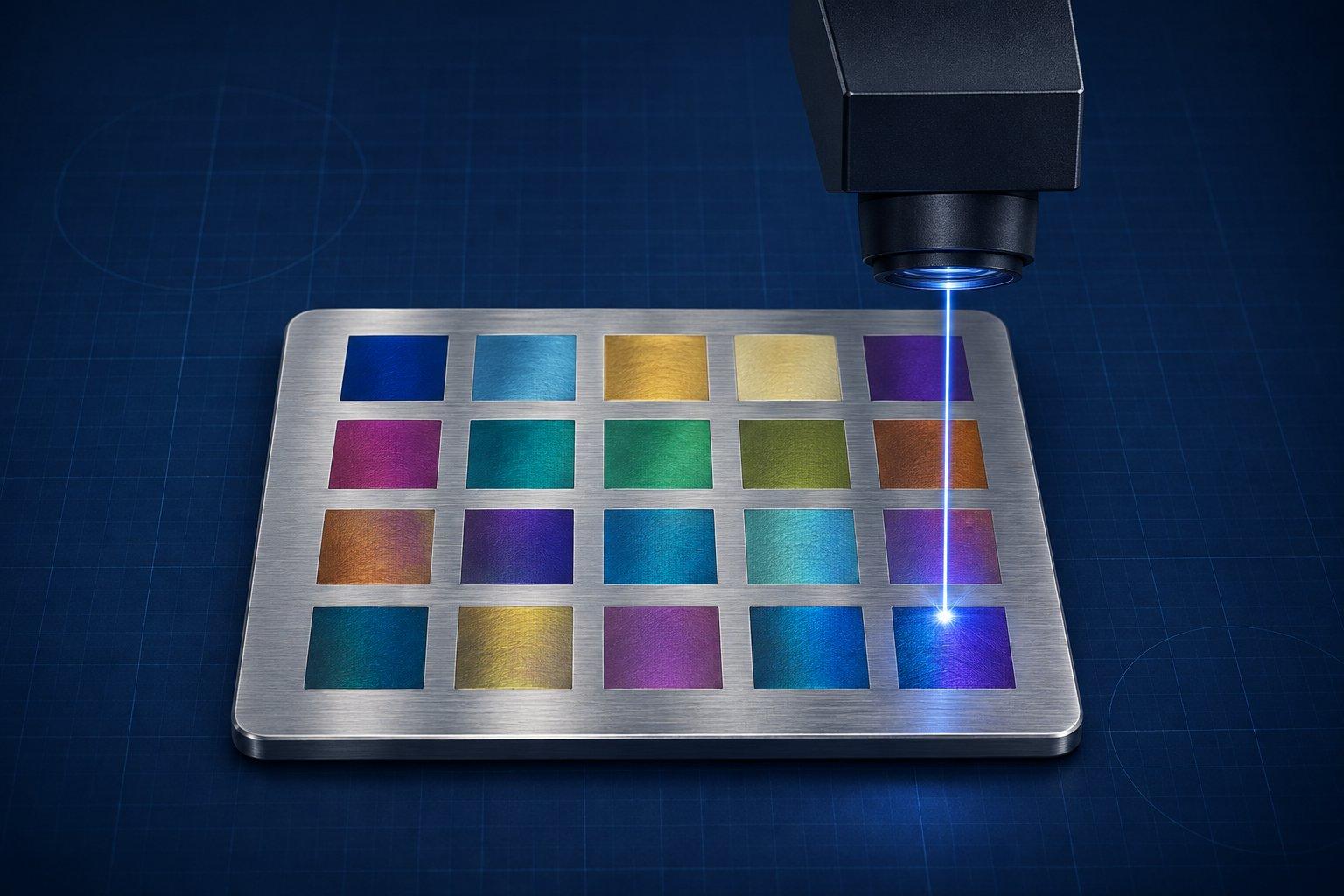
A MOPA laser is a pulsed fiber laser (1064 nm) built as a master oscillator power amplifier: a small seed laser creates each pulse and fiber amplifier stages boost it. Because the seed is driven electronically, you can set the pulse width (2 to 500 ns on the JPT M7 sources inside many desktop machines) independently of the frequency (1 to 4,000 kHz). A Q-switched fiber laser of the same wattage has a pulse width fixed near 100 ns and a much narrower frequency range.
Both are fiber lasers with the same wavelength and the same materials. What MOPA adds is control over how each pulse delivers its heat, and that control is what makes color on stainless steel, black marks on anodized aluminum and cleaner plastic marking practical. If your work is serial numbers and deep engraving on metal, a Q-switched source does it.
MOPA vs Q-switched fiber vs CO2 vs diode at a glance
| Capability | MOPA fiber | Q-switched fiber | CO2 | Blue diode |
|---|---|---|---|---|
| Wavelength | 1064 nm | 1064 nm | 10.6 µm | About 450 nm |
| Pulse width | Adjustable, 2 to 500 ns | Set by the source, roughly 70 to 120 ns | No nanosecond pulse control | No nanosecond pulse control |
| Frequency range | 1 to 4,000 kHz | Roughly 20 to 80 kHz | Not applicable | Not applicable |
| Bare metal marking and engraving | Yes | Yes | Only with a marking compound | Dark marks on stainless; not bare aluminum, brass or copper |
| Color on stainless and titanium | Yes, wide palette | Limited palette | No | Narrow range of oxide tones |
| Black on anodized aluminum | Yes, gray through deep black | Lighter, less controllable marks | White mark (removes the dyed layer) | Light mark on dyed anodizing |
| Plastics | Controlled, higher-contrast marks on some plastics | Marks many plastics, with more melting and foaming | Engraves and cuts many plastics | Opaque plastics only |
| Deep engraving and 3D relief in metal | Yes | Yes | No | No |
| Wood, leather, clear acrylic, glass | Not the tool | Not the tool | Yes | Wood and leather yes, clear materials no |
The non-fiber columns are covered in detail in the fiber vs CO2 vs diode comparison.
What is a MOPA laser?
A MOPA laser is a fiber laser whose pulse width you can set. MOPA stands for Master Oscillator Power Amplifier. The master oscillator is a low-power seed laser that defines the pulse. The power amplifier is one or more stages of ytterbium-doped fiber that raise that pulse to marking power.
The RP Photonics encyclopedia gives the reason the design exists: pulse duration and other beam properties are decoupled from the generation of high power.
In a Q-switched fiber laser the pulse forms inside the high-power cavity itself. Its duration is a by-product of the cavity design and the repetition rate, not a setting you can type in.
How a MOPA source differs from a Q-switched source
ComMarker sells both source types in the same chassis, and its B6 user manual lists them side by side:
| Source in the B6 chassis | Frequency | Pulse width | Max pulse energy |
|---|---|---|---|
| 20 W Q-switched fiber | 20 to 60 kHz | 70 to 110 ns | 0.7 mJ |
| 30 W Q-switched fiber | 40 to 60 kHz | 100 to 120 ns | 0.75 mJ |
| 50 W Q-switched fiber | 50 to 80 kHz | 80 to 110 ns | 1 mJ |
| 20 W and 30 W MOPA | 1 to 4,000 kHz | 2 to 500 ns | 0.8 mJ |
| 60 W MOPA | 1 to 4,000 kHz | 2 to 500 ns | 2 mJ |
The MOPA window is far wider in both directions, while pulse energy at equal wattage is about the same. MOPA does not hit harder. It hits differently.
One caveat: the headline range is not available at every combination. JPT's manual for the 20 and 30 W M7 source lists a cut-off frequency for each pulse width. At 2 ns the 20 W source reaches its set power only above 850 kHz. At 200 ns the cut-off is 25 kHz. Below the cut-off the source lowers its average power to protect itself. The maximum frequency also falls as pulses get longer: 4,000 kHz at 2 to 9 ns, 1,000 kHz at 100 to 200 ns, 500 kHz at 500 ns.
So if a 2 ns recipe at 100 kHz looks weak, the laser is not faulty. You are below the cut-off.
What pulse width (ns) and frequency (kHz) actually do
Pulse width is how long each pulse lasts. xTool's parameter guide for the F2 Ultra states the rule plainly: increasing the pulse width lowers the peak power of a single pulse while its energy stays the same. A long pulse soaks heat into the surface and removes more. A short pulse delivers the same energy as a sharp spike, with less heat spreading sideways.
Frequency is how many pulses fire per second. LightBurn's galvo documentation describes it as fewer, stronger pulses at low values and more, weaker pulses at high values. Low frequency digs. High frequency overlaps many gentle pulses into smooth heating, which is what color marking needs.
In LightBurn the setting is called Q-Pulse Width, available for MOPA fiber and UV galvo lasers only. Enable it in the device settings first.
Starting directions for a 20 to 60 W MOPA, taken from manufacturer guidance:
| Job | Pulse width | Frequency | Other settings | Basis |
|---|---|---|---|---|
| Fine, crisp marking | Short | Low | Medium to low power | xTool F2 Ultra guide |
| Fast removal, deep engraving | Long | Low | High power, multiple passes | xTool F2 Ultra guide |
| Black on anodized aluminum | 8 ns | 200 kHz | 50% power, 1,500 mm/s, line spacing 0.001 mm for black or 0.002 to 0.005 mm for gray, 1 pass, in focus | Trotec example for a 20 W MOPA |
| Color on 304 stainless | Above 20 ns | Above 500 kHz, moved in 100 to 200 kHz steps | Power in 0.5% steps or speed in 100 mm/s steps shifts one hue | xTool color guide, 60 W |
These are starting ranges, not finished recipes. Run a small test grid on an offcut of the actual material first.
- Mark too light: slow down, raise power a few percent or tighten the line spacing.
- Mark burnt, rough or raised at the edges: shorten the pulse, raise the frequency or speed up.
- Engraving too shallow: lengthen the pulse and lower the frequency before adding passes.
- Color drifts between parts: check focus height and the material batch before touching the recipe.
What a MOPA buys you in practice
Color marking on stainless steel and titanium
xTool's F2 Ultra documentation explains that laser heat grows an oxide film on the metal and that different film thicknesses produce different colors through light interference. That is why fine control over heat input matters.
It is also fussy. xTool warns that small changes in power, focus or energy can shift the color, and that results may vary even with identical settings because of material, humidity and temperature. Save every recipe that works, together with the steel grade and finish.
Black marking on anodized aluminum
The usual laser mark on anodized aluminum removes the dyed layer and leaves a white or pale mark. Trotec's application note says short pulse durations are the key to black: the mark darkens the layer without removing it or damaging the surface. Tighter line spacing gives a deeper black. Anodized coatings vary, so test each batch.
Cleaner marks on plastics
Trotec lists controlled melting, less foaming and more homogeneous, higher-contrast marks on some plastics as MOPA advantages over other fiber lasers. Results depend on the polymer and its additives, and chlorinated plastics such as PVC must never be lasered. The plastic engraving guide covers which plastics are safe.
Finer control for deep and 3D engraving
Depth comes mainly from wattage and pulse energy, and a Q-switched laser engraves deep too. What MOPA adds is range: long pulses at low frequency for removal, then shorter pulses for a cleaner surface. Trotec notes less burning and melting at engraving edges. For metals in general, see the guide to laser engraving metal.
Is a MOPA laser better than a regular fiber laser?
For color, black anodized marks and heat-sensitive plastics, yes. For plain marks, serial numbers and deep engraving, a Q-switched laser of the same wattage does the job. A MOPA is a fiber laser, so the question is really MOPA versus Q-switched.
The trade-offs are cost and setup. Trotec states that a MOPA can require a higher initial investment than another fiber laser and is more complex to set up, because pulse duration is one more variable.
Which wattage do you need: 20, 30, 60 or 100 W?
20 to 30 W for marking, color and black anodized work. 60 W for relief, regular deep engraving and thin metal cutting. 100 W for production lines.
| Wattage | Published figures (ComMarker B6 MOPA) | Who it suits |
|---|---|---|
| 20 W | 0.8 mJ max pulse energy; stainless cutting 0.6 mm in multiple passes | Marking, color work, black anodized marks, tags and jewelry. Relief is possible but slow. |
| 30 W | 0.8 mJ; stainless cutting 0.8 mm in multiple passes | The same work with faster fills. ComMarker positions it for hobbyists and intermediate users. |
| 60 W | 2 mJ; stainless cutting 2 mm in multiple passes | Coin and medallion relief, regular deep engraving, thin metal cutting, larger lens fields. ComMarker positions it for small businesses. |
| 100 W | Mostly sold in industrial lines (Trotec offers 20 W and 100 W MOPA on its SpeedMarker series) | Production deep engraving. Most desktop buyers do not need it. |
Color and black marking do not need high wattage. Depth, speed and field size do. ComMarker recommends the 60 W version for its optional 300 x 300 mm lens, because a larger field spreads the same power over a larger spot. xTool claims its 60 W MOPA engraves 3D metal coins five times faster than a 20 W fiber, a vendor figure, but relief work is where the extra watts go.
Desktop MOPA machines people search for
Specifications below come from each manufacturer's own pages at the time of writing (November 2026). Prices change with bundles and sales, so they are left out.
| Machine | Source | Work area | Max speed | Notes from the manufacturer |
|---|---|---|---|---|
| ComMarker B6 MOPA | JPT MOPA, 20, 30 or 60 W, 1064 nm | 150 x 150 mm (300 x 300 mm with optional lens) | 15,000 mm/s | 1 to 4,000 kHz; autofocus; EZCAD and LightBurn; 13.5 kg; Class 4 as a bare machine, Class 1 with the optional enclosure |
| xTool F2 Ultra | 60 W MOPA (1064 nm) plus 40 W blue diode, or 60 W MOPA only | 220 x 220 mm (220 x 500 mm with conveyor) | 15,000 mm/s | Pulse width 2 to 500 ns in presets; 30 to 4,000 kHz; dual 48 MP cameras; fully enclosed, listed by xTool as Class 4; LightBurn 2.2.0 or later |
| OMTech MOPA 60W compact | JPT, 60 W, 1064 nm | 150 x 150 mm | 10,000 mm/s | Independently adjustable frequency and pulse width (ranges not listed on the product page); LightBurn compatible; 17.5 kg |
About JPT M7. M7 is not a machine. It is the JPT source family inside many of them. JPT's naming convention is simple: M series means adjustable pulse width, LP series means fixed pulse width. If a listing says "JPT" without "M7" or "MOPA", ask for the model code on the source's rating plate.
Can a MOPA laser engrave 3D coins from a depth map?
Yes. A galvo fiber laser carves relief by running a depth map through a sliced, multi-pass engraving mode, and a MOPA source does this well. In LightBurn the mode is called 3D Sliced. It is a galvo-only image mode that engraves the design one layer at a time, with darker pixels receiving more passes and therefore more depth.
The input has to be a real depth map, a grayscale image in which brightness represents height. An ordinary photo is not one. DepthGen Pro builds depth maps from photos, logos, coins and line drawings offline and exports 8-bit and 16-bit PNG, which is the format this workflow needs (there is also a macOS build). Whether 16-bit is worth it depends on your pass count, explained in 8-bit vs 16-bit depth maps in LightBurn.
Two practical limits from xTool's F2 Ultra documentation: its recommended materials support about 1 to 2 mm of relief depth, and a single job can be color or relief, not both. Use a removal recipe (long pulse, low frequency, high power) for the sliced passes.
Can a MOPA laser engrave wood, glass or clear acrylic?
Not well. A MOPA is still a 1064 nm fiber laser, and that wavelength is poorly absorbed by organic and transparent materials. Trotec states that MOPA lasers are not suitable for organic materials like wood. xTool's material guide does not recommend 1064 nm for wood unless it is coated. Epilog notes that fiber lasers pass through transparent materials such as glass.
Dark, opaque non-metals are a partial exception. ComMarker lists stone, leather, black acrylic and plastic among the B6 MOPA's supported materials. This gap is why the xTool F2 Ultra pairs its MOPA with a 40 W blue diode.
Who should not buy a MOPA laser?
Skip MOPA if metal color, black anodized marks or delicate plastics are not part of your work.
- Your materials are wood, leather, acrylic or glass. Buy a CO2 or diode machine.
- You only need dark or white marks and deep engraving on metal. A Q-switched fiber laser does that.
- You need to cut sheet. Published capacities top out around 2 mm of stainless in multiple passes at 60 W.
- You need a large bed. Galvo fields run from 150 x 150 mm to about 220 x 220 mm.
- You will not run test grids. Color marking depends on them.
- You cannot give it a controlled space. Most desktop fiber units are open-frame Class 4 lasers.
Safety on a MOPA fiber laser
The beam is invisible. JPT's manual rates the source Class 4 and warns that both the direct and the reflected beam can cause permanent eye and skin damage and start fires.
- Wear goggles rated for 1064 nm. JPT recommends OD4+ or better for its 20 and 30 W sources, and xTool recommends OD6+ for the 60 W F2 Ultra. Blue diode goggles do not protect at this wavelength unless their rating says so.
- Use an enclosure or shield, and keep bystanders out of the room on open-frame machines.
- Extract the fumes. Trotec lists chromium, nickel, cobalt, copper, lead and manganese as materials that need care, and PVC, PTFE and other halogen-containing materials as ones not to laser.
The practical verdict
Buy a MOPA when a specific effect pays for it: color on stainless or titanium, black on anodized aluminum, clean marks on plastic parts, or relief work where surface quality matters. Choose wattage by depth and speed, not by color ambitions. 20 to 30 W covers marking, and 60 W is where coin relief and thin metal cutting become practical.
Buy a Q-switched fiber laser when the job is plain marking and engraving on metal. Buy neither when most of your material is wood, leather or acrylic.
Sources
- JPT: YDFLP-E-20/30-M7-S-R Pulsed Fiber Laser User Manual (PDF)
- ComMarker: B6 User Manual (PDF)
- ComMarker: B6 JPT MOPA Fiber Laser Engraver
- xTool Support: xTool F2 Ultra Q&A
- xTool Support: Start Color Engraving with xTool F2 Ultra
- OMTech: MOPA 60W Compact and Integrated Fiber Laser Engraving Machine
- Trotec: MOPA Laser, Laser Marking for Plastics and Metals
- LightBurn User Guide: Galvo-Specific Cut Settings