
Your Mac has the GPU for this. Finally, so does the software.
A native Apple Silicon depth map generator. Load a photo — or a HEIC straight off your iPhone — and get a 16-bit depth map or a watertight STL your laser, CNC or slicer accepts without cleanup. Nothing is uploaded.
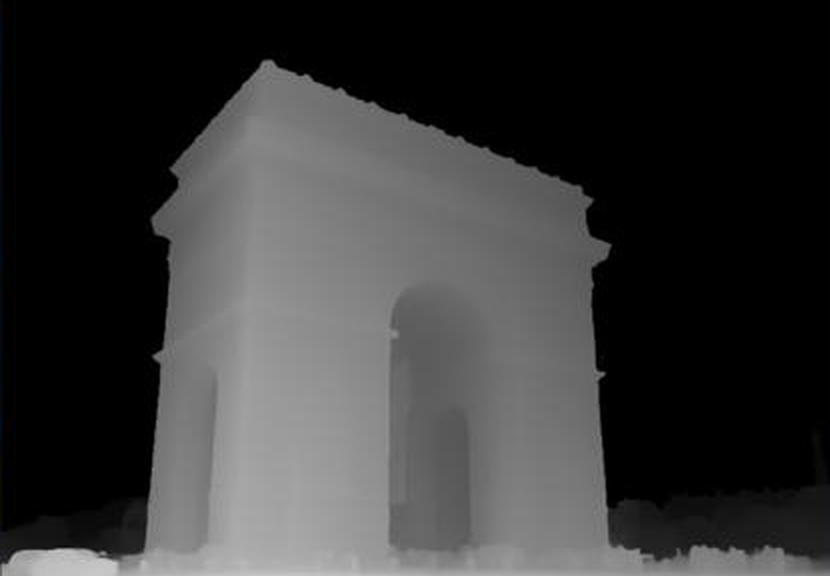
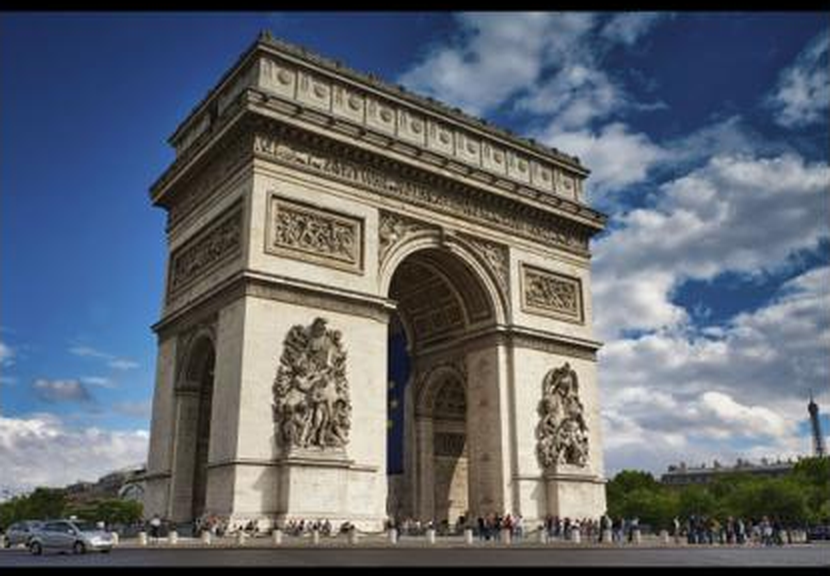
- Pay once — $49.00 today, nothing ever again
- 100% offline — Client photos never leave your Mac
- Instant delivery — Download link by email in seconds
- One key, both platforms — Activates the Windows build too
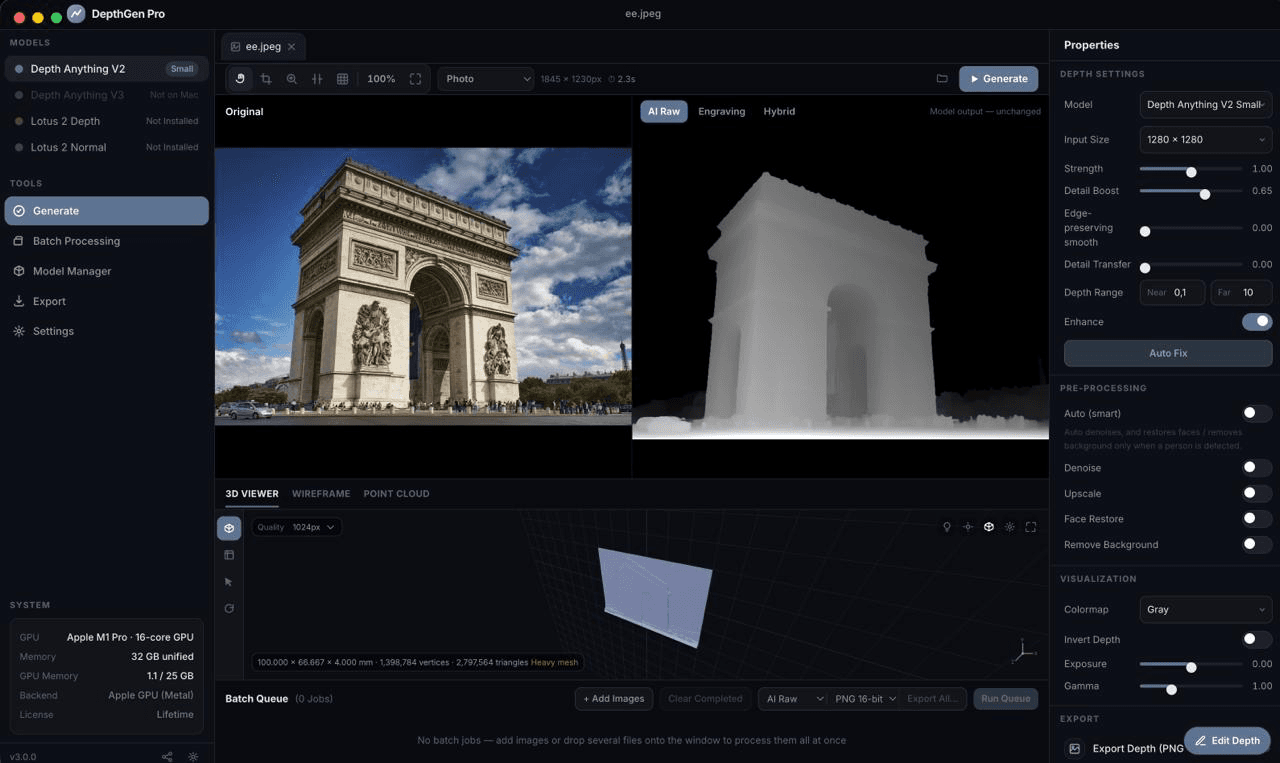
- A 1845 × 1230 photo to a finished depth map, on an M1 Pro
- 0s
- Production formats out: 16-bit PNG, EXR, STL, OBJ, 3MF
- 0
- Platforms covered by the one licence key you buy here
- 0
- A year you stop paying, against the cheapest cloud tool
- $0+
A 1845 × 1230 photo to a finished depth map, on an M1 Pro
Production formats out: 16-bit PNG, EXR, STL, OBJ, 3MF
Platforms covered by the one licence key you buy here
A year you stop paying, against the cheapest cloud tool
Every serious depth map tool assumed you were on Windows. This one was built for the Mac on your desk.
Not a port that runs in a compatibility layer. Not a browser tab wearing an app icon. DepthGen Pro for macOS is a native Apple Silicon build that puts your M-series GPU to work through Metal, keeps every image on your own SSD, and hands your laser, router or slicer a file it will accept on the first try — 16-bit PNG, EXR, STL, OBJ or 3MF. One payment of $49.00. No subscription, no credits, no upload.
Mac owners have been paying the Windows tax on this for years
If you engrave, carve or print on a Mac, you already know the three bad options. Keep a Windows laptop alive in the corner of the workshop for one piece of software. Run a virtual machine and watch a depth model crawl on emulated hardware with no GPU passthrough. Or hand your client's photograph to a browser tool, wait for the upload, and accept whatever single generic pass it gives back.
None of those are workflow problems. They are a tax you pay in hours, in hardware you did not want, and in work you cannot legally or comfortably put on someone else's server.
This build removes all three. It is a signed Mac application. It launches from the Dock, reads the HEIC files straight off your iPhone, runs the depth model on the same GPU that drives your display, and writes the finished file into a Finder folder you chose. Nothing about the job leaves the machine.
Your GPU does the work, and it never sends anything anywhere
Native Apple Silicon, accelerated with Metal
DepthGen Pro runs PyTorch on Apple's Metal Performance Shaders, so an M1, M2, M3 or M4 chip's GPU carries the depth model instead of the CPU emulating one. The app reports which backend it is using in the sidebar — Apple GPU (Metal) — so you are never guessing whether acceleration is actually on. If you need the CPU for a particular job, Settings → Processing forces it.
The same depth engine as the Windows build, verified
This is not a reduced Mac edition of the maths. The depth engine, the photometric relief reconstruction and the export geometry are the same code, and the Metal output was checked against a CPU reference: identical to within 1.5 × 10⁻⁶ relative error. A Mac and a PC given the same photograph and the same settings produce the same depth map. Your files do not change because your hardware did.
Photometric relief engine for coins and medallions
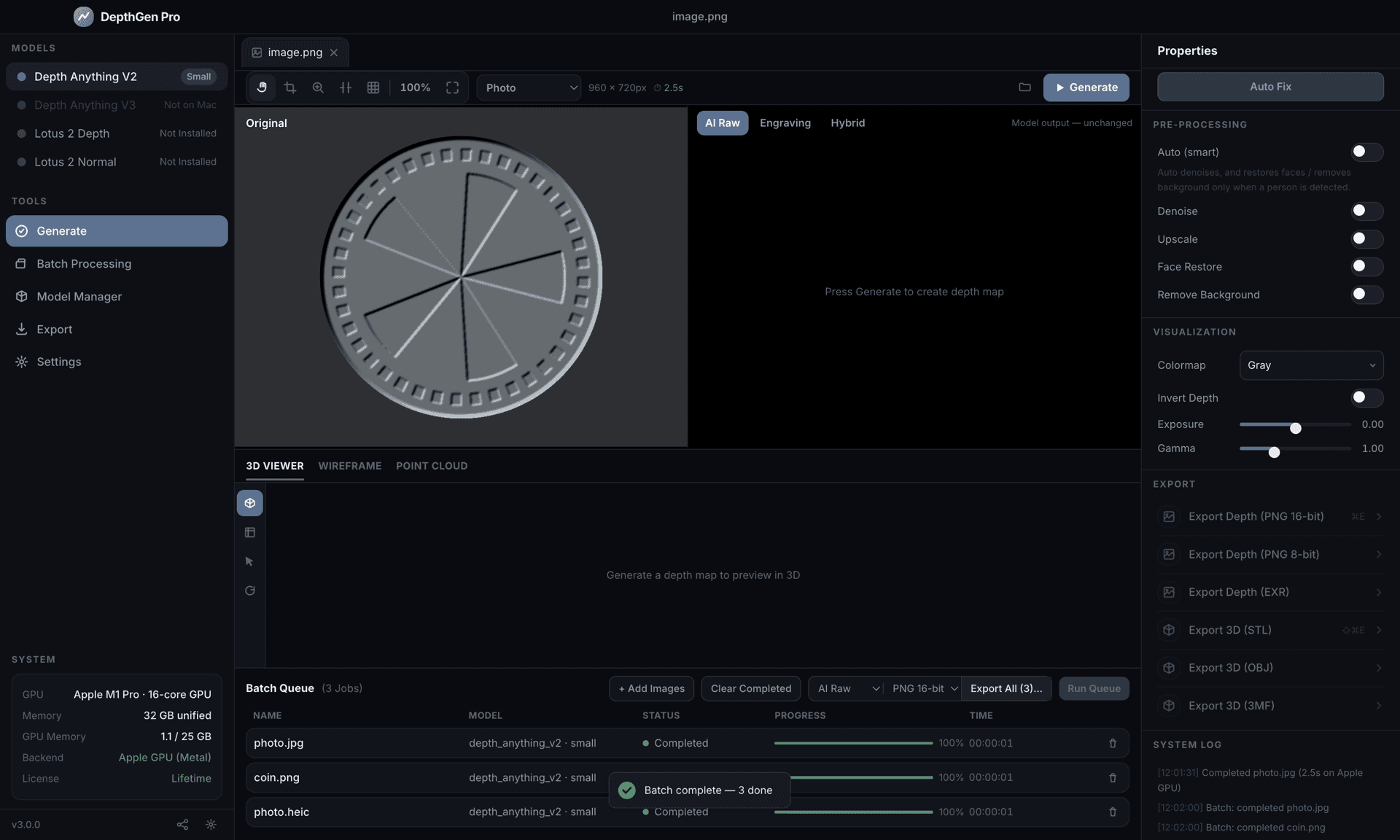
Run a coin through a standard AI depth model and it comes back flat. That is not a bug — from a camera's point of view a coin is flat, so the model reports one plane and the portrait, the lettering and the engraving all disappear. Carved plaques, medallions and jewellery hit the same wall: exactly the work people pay to have engraved.
DepthGen Pro detects a relief object and switches to a photometric pipeline that rebuilds height from the metal's own shading — the principle mint engravers have used for two centuries. That is the difference between a depth map that looks like a photo of a coin and one that cuts like a coin. No cloud tool does this on any platform.
Detail transfer
AI depth estimation smooths away skin pores, fabric weave, hairline detail and engraved lettering. The detail-transfer engine merges the model's broad structure with the original photograph's own micro-detail, so the result reads as sculpted rather than machine-flattened.
Non-destructive depth editing with full undo
A height brush — raise, lower, smooth, restore — with size, softness and strength, plus edge-preserving smoothing, exposure and gamma, all sitting on top of the AI output. ⌘Z and ⇧⌘Z work the way they do in every other Mac app. You are never stuck with what the model decided, and you never open Photoshop to fix it.
Controls that map to real depth
Strength, Detail Boost, Detail Transfer, edge-preserving smoothing and a Near/Far depth range set the physical depth of the cut directly. Invert flips raised to recessed for negative engraving and wax seals. These are parameters, not sliders labelled "quality".
Production export and a batch queue that writes files
8-bit and 16-bit PNG, 32-bit EXR, and watertight STL, OBJ and 3MF with configurable plate size, thickness and smoothing. Drop fifty images onto the window, hit Run Queue, and come back to a folder of finished files — not previews. Exports respect your image's aspect ratio, so a 4:3 photograph does not arrive as a square plate.
Seen enough?
$49.00, once. Download link by email in seconds.
What "Mac-native" actually buys you here
These are the details that separate a real Mac application from a Windows build with the corners sanded off — and every one of them is something you will touch in the first five minutes:
- HEIC and HEIF open directly. Drag a photo straight out of Photos or off your iPhone. No converting to JPEG first, and no quality lost doing it. TIFF works too.
- ⌘V pastes an image from the clipboard, ⌘E exports a 16-bit PNG, ⇧⌘E exports the STL, ⌘B opens the batch queue, ⌘, opens Settings. The full shortcut sheet is in the app.
- A real macOS menu bar with working accelerators, native traffic lights and a
hiddenInsettitle bar. Not a drawn-on imitation of one. - EXIF orientation is honoured. A portrait photo from your phone previews upright and exports upright — a detail the Windows build still gets wrong.
- Retina-sharp throughout, including the 3D relief preview, the wireframe and the point cloud.
- Files land in Finder, with a "Show in Finder" button on every export and every completed batch.
- The engine exits when the app does. It watches its parent process, so quitting — or force-quitting — can never leave a background task holding your GPU.
It is locked down, because a local tool still runs on a network
DepthGen Pro runs a local engine on your machine, and most apps built this way leave it wide open: any web page you happen to have in a browser tab can reach a local server on 127.0.0.1 and drive it.
This build does not allow that. Every request from the interface carries a token generated fresh at launch, the engine rejects any request that did not come from the loopback address, and the list of models that may be downloaded lives in the app with pinned revisions rather than being taken from whatever asks. The user interface is served from a real application origin under a strict Content-Security-Policy, not from a bare file:// path.
You should not have to care about any of that. That is the point.
What this build does not do
before you pay, not after
Every sales page tells you what the software does. Here is what the macOS build does not do, because finding out after checkout is how you end up wanting a refund:
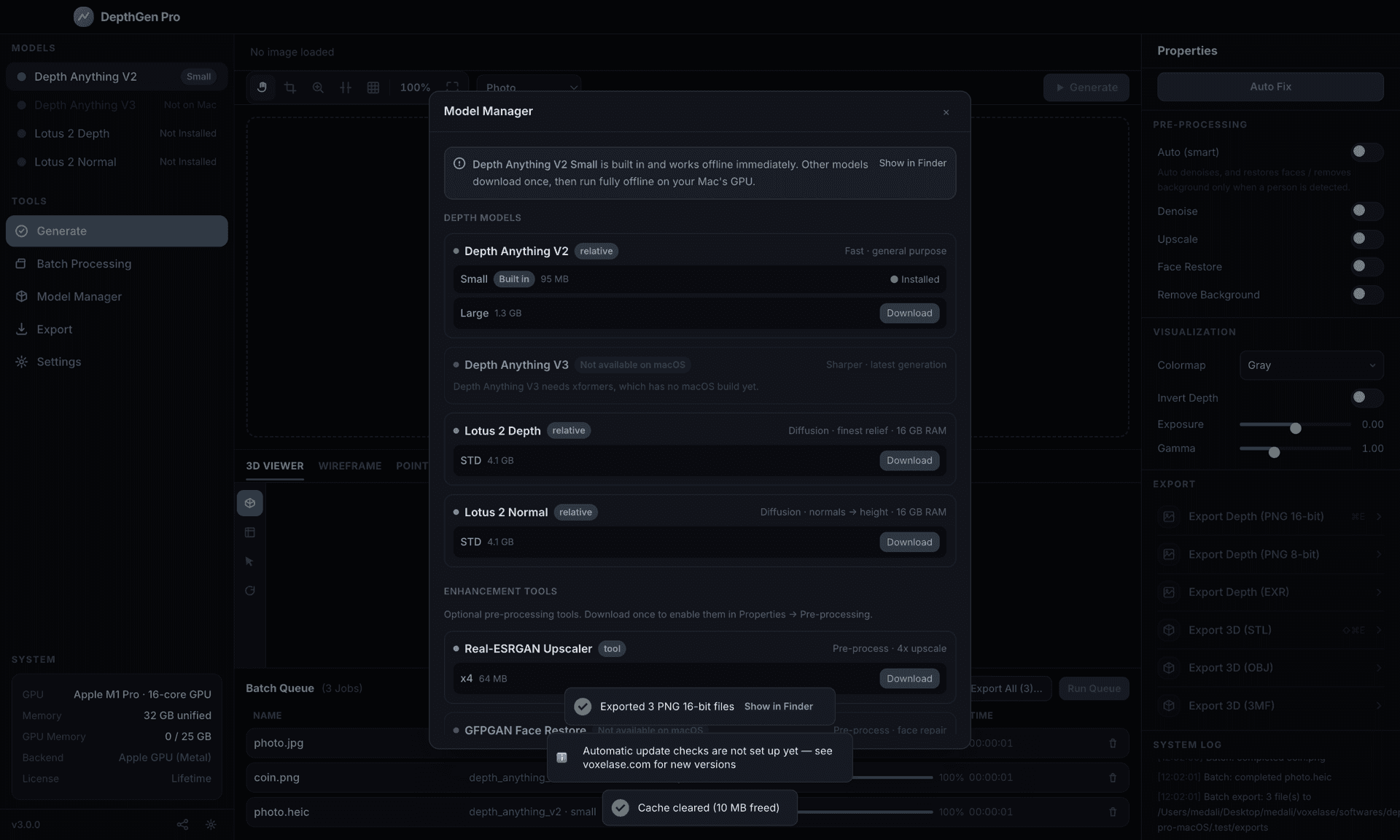
- Depth Anything V3 is not available on macOS. It depends on a GPU library that has no Mac build. The app says so in Model Manager with the reason, rather than quietly substituting something else. Depth Anything V2 and Lotus 2 both run on your GPU and cover the same work.
- GFPGAN face restoration is not available. It needs compiled CUDA kernels, which do not exist outside Nvidia hardware.
- Background removal is not enabled. The available model is licensed for non-commercial use only, and this is software people use commercially.
- Automatic update checking is not wired up yet. The app tells you that instead of claiming you are up to date. New versions are announced by email and on this site.
- Intel Macs are untested. An x86_64 build exists, but Apple Silicon is the tested, supported configuration and the only one this page sells. If you are on an Intel Mac, email us before you buy.
A tool that fails silently is worse than a tool that says no. If a model cannot load or a pre-processing step cannot run, this build reports it in the interface — it will never hand you a plausible-looking depth map that was not produced by the model you selected.
One licence. Both platforms. Forever.
Your DepthGen Pro key activates the Mac build and the Windows build. Design on the MacBook, run the production machine off the PC in the shop, and use one key for both — no second purchase, no platform upgrade fee, no transfer request.
If you already own DepthGen Pro for Windows, your existing key works here. Download the Mac build, enter the key you already have, and carry on. You do not need this page.
The arithmetic against a subscription
The cloud depth tools cost roughly $15–30 a month once you pass the free tier. That is $180–360 a year, every year, for as long as you keep working. Miss a renewal, lose a card, or watch the company reprice its tiers, and the tool you built a workflow on stops opening.
DepthGen Pro is $49.00. Once. It breaks even against the cheapest of them in under four months, and every month after that is money you keep. Nothing is taken away from you later, because there is nothing to take away — the software is already on your Mac.
There is a second bill that never shows up on an invoice: every cloud tool needs your client's photograph uploaded to someone else's server before it will work. DepthGen Pro processes everything locally, so the work stays yours. A browser-based competitor cannot offer you that, whatever its privacy page says.
Works with the software already on your bench
Output is standard PNG, EXR, STL, OBJ and 3MF, following the universal convention — white is raised, black is deepest — so nothing needs converting or inverting on the way in:
- Laser: LightBurn for Mac (3D Sliced Mode), xTool Creative Space, LaserGRBL via a Windows machine, and any tool that reads grayscale depth.
- CNC CAM: Carbide Create, Fusion 360 for Mac, Easel, and Vectric Aspire or VCarve on the shop PC — the PNG and STL are identical files either way.
- Slicers: Bambu Studio, PrusaSlicer, Cura, Chitubox — all macOS builds.
- Image editing: Photoshop, Affinity Photo, Pixelmator Pro, GIMP.
Not sure which PNG to export? The field guide to 8-bit vs 16-bit depth maps in LightBurn explains when 16-bit changes the sliced output and when 8-bit is already enough.
Five steps, start to finished file
1. Load. Drag in a JPG, PNG, WEBP, BMP, TIFF or HEIC, or paste from the clipboard with ⌘V.
2. Let it classify. Relief object, line-art or photograph — detected automatically, overridable any time.
3. Set the depth. Strength, Detail Boost and the depth range to match your material. Brush out anything the model got wrong. The preview updates as you go.
4. Check the 3D preview. Orbit the relief and inspect it from every angle, in 3D, wireframe or point cloud. This is your proof before you cut material.
5. Export. ⌘E for a 16-bit PNG. ⇧⌘E for a watertight STL. EXR at 32-bit when you need it, or OBJ and 3MF for the slicer.
Who buys this
- Mac-only workshops — the shops that have been running a Windows laptop in the corner for one piece of software, or paying a subscription because there was no native option.
- Fiber laser engravers — coin designs, metal portraits and medal reliefs, in exactly the grayscale LightBurn's 3D Sliced Mode expects.
- CO2 laser users — portraits on wood, leather and slate with enough dimension that they stop looking engraved and start looking carved.
- CNC router operators — height maps for Carbide Create, Fusion 360 and Aspire, and STLs that import straight into the CAM workflow.
- 3D printing makers — lithophane lamps and displays with every physical dimension under your control.
- Coin, medallion and jewellery designers — the one category generic AI depth models flatten completely.
- Etsy sellers and print-on-demand shops — client photo to ready-to-engrave file in minutes, with no per-image cloud fee eating the margin.
- Studios handling other people's images — portraits, memorials and commissioned work that should never be uploaded to a third-party server in the first place.
DepthGen Pro for macOS against the cloud tools
| Feature | DepthGen Pro for macOS | DepthR | SculptOK | ArtificialStudio |
|---|---|---|---|---|
| Price | $49.00 one-time | Subscription | Credits | Free (limited) |
| Native Mac app | ✅ Apple Silicon | ❌ Browser | ❌ Browser | ❌ Browser |
| Uses your Mac's GPU | ✅ Metal | ❌ | ❌ | ❌ |
| Works offline | ✅ 100% | ❌ Cloud only | ❌ Cloud only | ❌ Cloud only |
| No data upload | ✅ | ❌ | ❌ | ❌ |
| Opens HEIC from an iPhone | ✅ | ❌ | ❌ | ❌ |
| Watermark-free | ✅ | ❌ (paid tier) | ❌ | ✅ |
| Photometric relief engine | ✅ Coins & medallions | ❌ | ❌ | ❌ |
| STL export | ✅ Watertight | ✅ | ❌ | ❌ |
| 16-bit / EXR export | ✅ | ❌ | ❌ | ❌ |
| 3D live preview | ✅ Mesh, wireframe, point cloud | ✅ | ✅ | ❌ |
| Non-destructive editing | ✅ Height brush, undo/redo | ❌ | ❌ | ❌ |
| Batch processing | ✅ Writes files, not previews | ❌ | ❌ | ❌ |
| Licence covers Windows too | ✅ Same key | n/a | n/a | n/a |
| Privacy | ✅ Total | ❌ | ❌ | ❌ |
What your Mac needs
- Chip: Apple Silicon — M1, M2, M3 or M4, any variant. This is the tested and supported configuration.
- macOS: 14.0 Sonoma or later. That floor comes from the machine-learning libraries the app ships, not from a preference.
- Memory: 8 GB runs the bundled model comfortably. 16 GB or more if you plan to use the larger Lotus 2 models.
- Disk: a 526 MB download that installs to about 1.5 GB, with Depth Anything V2 already inside it. Optional larger models are downloaded only if you ask for them.
- Internet: needed once, to download and activate. After that, never again.
Everything included in the $49.00
- The full DepthGen Pro application for macOS, signed and notarized
- A lifetime licence — one activation key, yours permanently, valid on macOS and Windows
- Depth Anything V2 bundled and ready to run offline the moment it opens
- Lotus 2 depth and normal models, downloadable on demand
- The photometric relief engine for coins, medallions and carvings
- The full non-destructive depth editing suite with undo and redo
- PNG (8-bit and 16-bit), EXR, STL, OBJ and 3MF export
- Batch processing that writes finished files
- Every future update — no upgrade fees, no "Pro-er" tier waiting for you later
- Native Apple Silicon, accelerated with Metal
- The same depth engine as the Windows build, verified
- Photometric relief engine for coins and medallions
- Detail transfer
- Non-destructive depth editing with full undo
- Controls that map to real depth
- Production export and a batch queue that writes files
Secure checkout by Whop · Instant email delivery · 14-day refund policy
Yes. It is a native arm64 build for M1, M2, M3 and M4 Macs, and it runs the depth model on your GPU through Metal. There is no Rosetta translation and no virtual machine.
Yes. $49.00, once. No subscription, no recurring billing, no expiry date on the licence.
Yes. The licence format is shared across both platforms, so one key activates both builds. If you own the Windows version, download the Mac build and enter the key you already have.
Only once, to activate and to download any optional model. After that DepthGen Pro runs 100% offline and no image ever leaves your Mac.
No. The build is signed with a Developer ID and notarized by Apple, so it opens with a double-click like any other Mac application. There is no right-click workaround to learn.
Apple Silicon is the supported configuration. An Intel build exists but is untested and runs on the CPU only, because PyTorch stopped shipping Intel Mac GPU support. Email support@voxelase.com before buying if you are on an Intel machine.
macOS 14.0 Sonoma or later. That requirement comes from the machine-learning libraries the app bundles.
Yes. The depth engine and the relief reconstruction are the same code, and Metal output was verified against a CPU reference to within 1.5 × 10⁻⁶ relative error. The same image and the same settings give you the same depth map on either platform.
It requires a GPU library that has no macOS build. Rather than substitute a different model without telling you, the app marks V3 unavailable and explains why. Depth Anything V2 is bundled and Lotus 2 is available to download; both run on your Mac's GPU.
Yes. HEIC, HEIF and TIFF open directly alongside JPG, PNG, WEBP and BMP, and you can paste an image from the clipboard with ⌘V.
Yes. The STL is watertight, with a full base plate and sealed side walls, and is immediately sliceable in any modern slicer. Exports keep your image's aspect ratio rather than forcing a square plate.
Yes, with no restrictions. Process client images, sell the results, keep all of the revenue.
8-bit gives you 256 depth levels, which is enough for most laser and CNC work. 16-bit gives you 65,536, for relief projects that need sub-millimetre accuracy.
A machine-bound licence is tied to your Mac's logic board UUID, which survives a rename or a network change. If you move to a new machine, email VOXELASE support and the key will be reissued.
Instantly. After checkout you land on a receipt page with your licence key and the download, and the same details are emailed to you.
Email us within 14 days and we refund it. No forms and no argument — if the software does not do the job, we do not want the money.
Own it once. Use it forever.
$49.00, one payment, no renewals — and the same key activates the Windows build. Download link by email in seconds, with a 14-day refund if it doesn't do what this page says.
- Lifetime license
- Runs offline
- Works on Windows too
- 14-day refund