
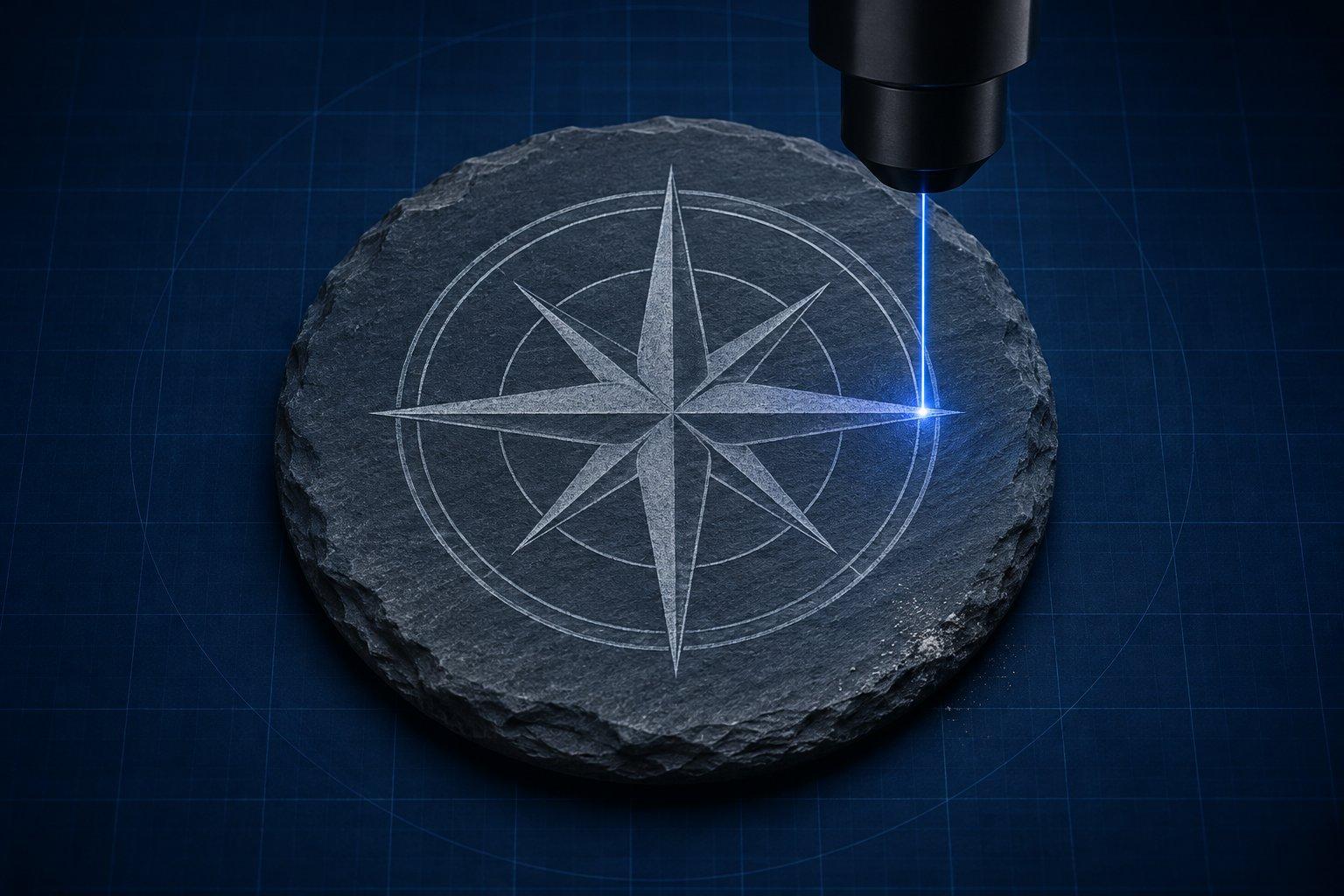
A laser does not carve stone. It marks it: the heat fractures or bleaches a very thin surface layer and leaves a lighter, matte mark. Contrast therefore comes from the color of the stone, not from depth, so dark, fine-grained stones such as slate, black granite, dark marble and basalt engrave best. Both CO2 and blue diode lasers can do it.
The rest of this guide covers which stones give contrast, how the three laser types compare, starting settings, photo engraving, sealing and oiling slate, curved rocks, and the dust hazard. One caveat applies throughout: natural stone varies by quarry and by batch, so a setting that suits one box of slate coasters can be wrong for the next.
Which stones engrave well
| Stone | What the mark looks like | Contrast | Notes |
|---|---|---|---|
| Slate | Light gray on dark gray | Excellent | The most forgiving stone. Thickness and flatness vary, and the layers can flake if overpowered. |
| Black or dark granite | Pale gray to white | Very good | Polished faces hold the finest detail. The standard for memorial portraits. |
| Light or speckled granite | Gray on gray | Poor | Needs a paint fill to read. |
| Dark marble | Frosted white | Excellent | Cracks more readily than granite. Use conservative power. |
| White marble | White on white | Poor | Plan on a color fill. |
| Basalt | Light gray | Good | Dense and even. |
| River rock and pebbles | Varies | Unpredictable | Mineral content changes rock to rock. Must be fully dry. Curved, so focus needs care. |
| Glazed ceramic tile | None without a coating | Depends on method | Not stone. Needs a marking spray or a titanium dioxide coating to turn black. |
Trotec's stone engraving page lists basalt, ceramic, granite, marble and slate as suitable and recommends dark, uniform stone. Its tips for engraving stones add that bright granite engraves poorly and needs color filling. If the stone is light, no setting fixes that. Change the stone or add paint.
How a laser actually marks stone
The beam heats a tiny spot of the surface very quickly. Depending on the mineral, the surface micro-fractures, changes chemically, or sheds a thin top layer. Each of those leaves a rough, lighter patch that scatters light. Trotec describes the result as a matting effect that removes minimal material.
Thunder Laser's stone guide sorts stones by how they respond: carbonate stones such as marble frost white, silicate stones such as granite micro-fracture to gray, and slate exposes a lighter layer under its dark face. The same guide puts typical depth at about a tenth to half a millimeter.
Two practical consequences follow. First, a hobby or shop laser will not cut stone or carve deep letters; shape slate with a tile saw. Second, more power does not buy more contrast. Past the point where the surface has turned pale, extra energy tends to chip, flake or discolor the stone.
Diode vs CO2 vs fiber on stone
- CO2 (10.6 µm). The reference tool for stone. Trotec recommends CO2 for stone engraving, and it is typically much faster than a diode on slate, granite and marble.
- Blue diode (about 450 nm). Works well on dark stone, more slowly. xTool's slate coaster guide calls a diode machine more than enough for slate and suggests 20 W for a more prominent mark.
- Fiber (1064 nm). Mixed. Trotec says a fiber laser does not have the right wavelength for stone, yet xTool notes that fiber lasers engrave slate quickly and Thunder Laser publishes fiber settings for slate. Treat fiber as workable on dark slate and unreliable as a general stone tool. xTool lists stone among the materials its low-power 1064 nm infrared module is not suited to.
If you are choosing a machine and stone is only part of the plan, the fiber vs CO2 vs diode comparison covers the other materials.
Starting settings by laser class
These are published reference points to start a test from. Stone varies more than any sheet material, so engrave a small power and speed grid on a spare piece from the same batch before the real job.
| Laser class | Stone | Starting point | Reference |
|---|---|---|---|
| 20 W blue diode | Rock | 45% power, 220 mm/s | Atomm guide for xTool S1 |
| 40 W blue diode | Slate coaster | 10% power, 140 mm/s, 1 pass | Atomm guide for xTool S1 |
| 40 W blue diode | Rough natural stone | 100% power, 150 mm/s | Atomm guide for xTool S1 |
| 30 W RF CO2 | Marble | 40% power, 1,000 mm/s, 350 DPI | Thunder Laser |
| 60 W glass-tube CO2 | Marble | 80% power, 1,200 mm/s, 300 DPI | Thunder Laser |
| 100 W CO2 | Slate | 20% power, 100% speed, 500 DPI | Trotec Speedy 360 |
| 100 W CO2 | Marble | 50% power, 20% speed, 1000 DPI | Trotec Speedy 360 |
| 100 W CO2 | Basalt | 12% power, 50% speed, 500 DPI | Trotec Speedy 360 |
| 100 W CO2 | Pebbles | 80% power, 30% speed, 500 DPI | Trotec Speedy 360 |
| 50 W fiber | Slate | 20% power, 200 mm/s, 60 kHz, 1 pass | Thunder Laser |
The diode rows come from an Atomm guide to xTool S1 materials, and the fiber row from Thunder Laser's fiber settings table. Trotec's speed figures are percentages of that machine's top speed, not mm/s, so use them as proportions. For its own test matrix Trotec suggests starting a 60 W machine at 100% power and about 30% speed, and about 15% speed below 60 W.
No manufacturer figure for a 10 W diode on slate was found for this guide. A 10 W module delivers roughly half the energy of a 20 W module at the same speed and percentage, so begin the grid near half the 20 W speed and adjust from what you see.
If the mark is too faint: check focus first, then slow down or add power in small steps, or tighten the line interval.
If the surface chips, flakes or turns dull and dark: there is too much energy. Speed up, lower power, and keep to one pass.
If contrast is uneven across the piece: the stone is not flat or not clean. See the failures section below.
Photo engraving on slate and granite
Stone reverses the usual logic. On wood the laser makes dark marks on a light surface. On slate and black granite it makes light marks on a dark surface, so a normal photo comes out as a negative.
- Invert once. LightBurn's Image Mode reference describes Negative Image as useful for slate or glass, where burned areas become lighter. Either invert the file in an editor or enable Negative Image. Doing both cancels out.
- Dither, do not rely on grayscale power. Stone is close to binary: a spot is either marked or it is not. OMTech's slate photo guide makes this point and uses dithering to build tones from dots. LightBurn rates Jarvis as generally the best choice for photos and Stucki as slightly faster.
- Pick a photo with real contrast. Clear separation between light and dark areas carries over to stone. Images made mostly of mid-grays lose their detail. Remove busy backgrounds.
- Do not chase DPI. The manufacturer references above run from 300 to 500 DPI for most stone, with Trotec going to 1000 DPI on marble. When dots overlap, the light areas merge and midtones disappear.
- Test a strip of the actual face. Engrave the eyes and a patch of shadow at three power levels before running the full image.
The full workflow, covering dithering, DPI and image prep, is in the guide to laser photo engraving. The free photo to laser engraving converter handles photo prep and dithering in the browser.
Should you seal or oil slate before or after engraving?
Oil after engraving, and seal before only if the sealer is fully cured. The two steps do different jobs.
A thin wipe of mineral oil after engraving darkens the unmarked slate, which raises contrast against the pale mark. xTool's slate coaster guide in its support center includes mineral oil in its finishing workflow for daily-use pieces. Use very little and buff it off. Oil that pools in the engraved area can darken the mark as well and give back the contrast you gained. xTool's coaster guide treats a sealant after engraving as optional.
A clear coat before engraving is a different technique. The OMTech author seals slate with matte acrylic varnish before engraving and reports more clarity in the engraved image. The risk is moisture. Thunder Laser warns against engraving damp or freshly sealed stone, since trapped moisture turns to steam under the beam and can crack or spall the surface. Let any coating cure completely.
Can you laser engrave river rocks?
Yes, but treat every rock as its own test. Mineral content differs from one rock to the next, so contrast is unpredictable. Choose dark, smooth, fine-grained rocks and make sure they are completely dry. OMTech's stone engraving guide warns that moisture trapped in a rock turns to steam and can crack it.
Curved surfaces are a focus problem. Trotec's advice is to bed the rock in modeling clay so the area to be engraved sits level, focus on the average height of that area, and test a Z offset of plus and minus 1 mm. OMTech suggests setting focus 2 to 4 mm above an uneven surface, which enlarges the spot and its depth of focus at the cost of softer lines. Keep the design small enough that the curve does not carry its edges far out of focus.
Can a diode laser engrave granite?
Yes on dark, polished granite, slowly. No laser gives good contrast on light or speckled granite without a paint fill. Expect lower speeds or a second pass compared with slate. For a fill, Trotec's method is to mask the surface with application tape, engrave through it, dab acrylic paint into the engraved areas, and peel the tape once dry.
Can you laser engrave ceramic tile?
Not bare glazed tile with a diode. It needs a coating. A CO2 laser can etch the glaze, but Trotec states that on ceramic a color change is only achieved with a laser marking spray. Hobbyists use a cheaper route often called the Norton white tile method: coat a glossy white tile with paint containing titanium dioxide, engrave, then wash off the unburned paint. OMTech's write-up of the method explains that the laser darkens and sinters the coating into the glaze, and that the result is strictly black or white, so photos must be dithered.
Is stone dust from laser engraving dangerous?
It can be, because many stones contain crystalline silica. An OSHA and NIOSH hazard alert lists typical crystalline silica content of 20 to 40% for slate and 10 to 50% for granite, against less than 5% for marble and limestone. OSHA's silica page says inhaling respirable crystalline silica raises the risk of silicosis, an incurable lung disease, as well as lung cancer, chronic obstructive pulmonary disease and kidney disease.
OSHA's guidance is written around cutting, grinding and drilling stone. Laser engraving is not named, and no exposure measurements for hobby laser engraving were found for this guide. The sensible approach is to treat the fine pale dust a laser produces as the same hazard.
- Engrave inside an enclosure with extraction that vents outdoors or through a fine particulate filter.
- Do not blow dust off with compressed air or dry-sweep it. Wipe with a damp cloth or rinse the piece.
- Clean the machine bed damp as well, and check the nozzle and lens. Trotec notes that stone dust can clog the nozzle opening.
- If you employ people to engrave stone, OSHA's silica standard applies, including its permissible exposure limit of 50 µg/m³ as an 8-hour average.
Common failures and fixes
- Patchy slate. Usually a surface problem. Dust, grease or a factory finish blocks the beam unevenly, and a coaster that is not flat drifts out of focus. Wipe with isopropyl alcohol, let it dry fully, shim the piece level, and try the smoother face.
- Flaking or chipping. Slate is layered and shears easily. Lower the power, raise the speed and stay with a single pass. Discard blanks that already show loose layers.
- Low contrast. Check focus, then check the stone. A gray or brownish slate will never match a black one. Clean before engraving, as Trotec advises, so you only need a gentle rinse afterward, then oil lightly.
- Photo looks like a ghost. The image was not inverted, or it was inverted twice.
- Hazy gray film around the design. Dust has settled on the face. Rinse and dry before oiling.
- Rock cracked during the job. Moisture or an existing fracture. Dry stones for at least a day after washing and inspect for hairlines.
The practical verdict
Start with slate. It is inexpensive, dark and forgiving, and a blue diode handles it at modest power. Move to black granite and dark marble when you want a higher-value piece, and expect a CO2 laser to do that work faster.
Skip light stone unless you are prepared to paint-fill it. Invert and dither every photo. Oil slate after engraving, sparingly.
Treat the dust as the real hazard in this craft. Extraction and damp cleanup cost little, and silica exposure is not something to find out about later. If slate coasters are headed for a product line, the laser engraving ideas that sell post has more to build around them.
Sources
- Trotec: Laser engraving stone
- Trotec: Tips and tricks for laser engraving of stones
- OSHA and NIOSH: Hazard Alert, Worker Exposure to Silica during Countertop Manufacturing, Finishing, and Installation
- OSHA: Silica, Crystalline
- LightBurn User Guide: Image Mode
- xTool: How to Engrave a Slate Coaster
- OMTech: How to Laser Engrave Photos on Slate Stone
- Thunder Laser: CO2 laser settings for cutting and engraving