
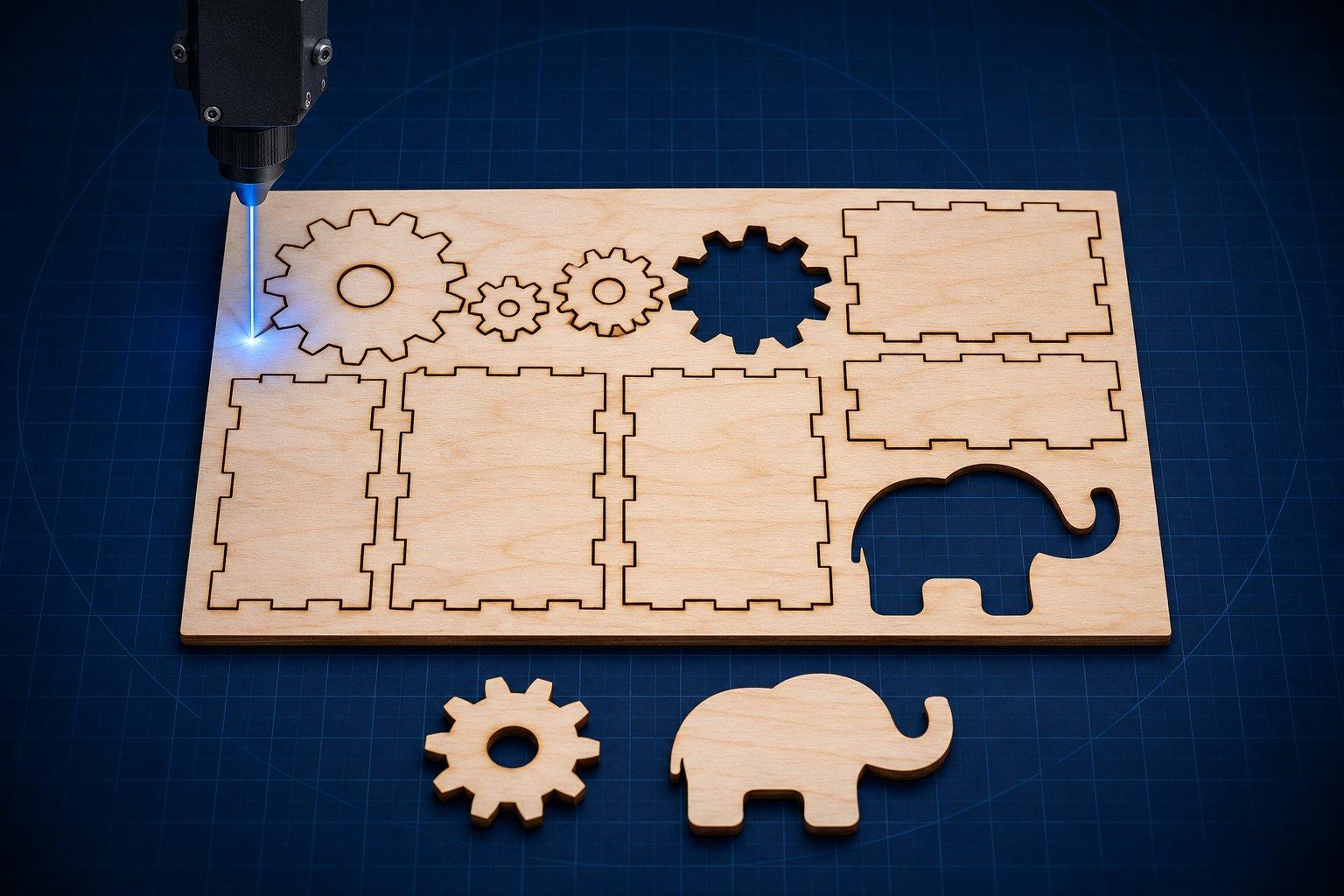
The most dependable sources of free laser cut files in November 2026 are Atomm (xTool's community library), 3axis.co, Thingiverse, Obrary and the sample libraries from Epilog and Trotec, plus generators such as Boxes.py and MakerCase that draw a file to your exact material thickness. Free to download is not the same as free to sell: of the 19 sources below, some permit unlimited commercial products, several are personal-use only, and one caps sales at 500 items per design.
Every source in the table was opened on 10 November 2026 to confirm it is live and still offers free files. The licence column reports what each site states on its own pages. It is not legal advice, and terms change, so read the licence on the page you download from.
Where can I find free laser cut files?
In three kinds of place: laser manufacturers' project libraries, community repositories and vector libraries, and generators that build a file from your dimensions. The table covers all three.
| Source | Formats | Best for | Licence as stated on the site | Sign-up |
|---|---|---|---|---|
| Atomm (xTool) | xTool project files, SVG, DXF, PNG | Ready-to-run projects with settings | Set per design (one checked: CC0). Free and paid assets mixed | xTool account on site; download rule not confirmed |
| Glowforge Community: Free Laser Designs | Files attached to posts, often SVG | Small owner-made projects and jigs | Non-commercial only. No sharing outside the forum | No account to read |
| Epilog Sample Club | ZIP of artwork files | Over 100 projects with suggested settings | No project licence stated. Site terms apply | No, direct ZIP |
| Trotec Laser Projects | PDF templates, Trotec job files | Step-by-step builds with parameters | No project licence stated. Site terms apply | No, direct files |
| FLUX Design Market (free designs) | SVG, DXF, CDR, EPS, AI, BEAM | Craft designs for Beam Studio users | EULA has Basic (non-commercial) and Commercial tiers | Shop cart with sign-in |
| Thingiverse (laser_cut tag) | Whatever the author uploaded | Flat-pack boxes, organisers, kits | Creative Commons licence chosen per design | Not to browse |
| Instructables: Laser Cutting | Files attached to project steps | Full build instructions with photos | Not stated at channel level. Check each project | Not to read |
| 3axis.co | CDR, DXF, SVG, AI, EPS, PDF, DWG | Largest decorative library | Sell unlimited physical products. No sharing or reselling files | Not stated |
| Free Patterns Area | SVG, PDF, DXF, CDR, DWG, STL | Hand-drawn slot-together projects | Personal, non-commercial only. Selling products prohibited | Not stated |
| Obrary | ZIP of design files | Open designs: furniture, boxes, hinge swatches | CC BY-SA 4.0 on the design checked | No, ZIP button |
| Openclipart | SVG | Engraving artwork and motifs | CC0 public domain. Commercial use allowed | Optional membership |
| FreeSVG.org | SVG, PNG | Silhouettes and clipart | Labelled CC0 public domain | Optional account |
| SVG Repo | SVG | Icons and simple vectors | Open licence shown per item. Default allows commercial projects, not reselling files | Not stated |
| LoveSVG | SVG (DXF and PNG named in licence) | Signs, ornaments, editable text | Personal use, plus up to 500 sold items per design | Free account |
| Scan2CAD Free DXF | DXF | Weekly packs of CNC-ready art | Free for commercial or non-commercial use | Maker Union membership |
| Boxes.py | SVG, DXF, PDF, PS, PLT, G-code, LBRN2 | Parametric boxes, trays, flex parts | Software is GPL-3.0. Output licence not stated | No |
| MakerCase | SVG, DXF, 3MF | Quick finger-joint and divider boxes | Not stated | None shown |
| Cuttle (free templates) | SVG and other exports | Personalised names, tags, ornaments | Free plan is personal use only. Commercial needs Pro | Free account |
| Templatemaker.nl | PDF, DXF, SVG, PNG | Packaging and papercraft to size | Commercial physical products allowed. No redistributing templates | None shown |
Manufacturer libraries
Atomm is xTool's community site. Projects carry xTool project files with the author's power and speed settings, and many add SVG, DXF or PNG for other software. Each project page shows its own licence, and the site's terms separate free assets from paid ones.
Glowforge Community has a Free Laser Designs category with about 1,700 topics, each required to include a file. New designs were posted in the week this list was checked. The forum licence is strict: non-commercial use, and no sharing outside the forum.
Epilog Sample Club offers over 100 projects. Each downloads as a ZIP of artwork with suggested speed, power and DPI for an Epilog machine. Those percentages do not transfer to a diode or desktop CO₂ laser, so use them as a reference only.
Trotec Laser Projects pairs step-by-step instructions with template files and laser parameters for Trotec software. The templates checked were PDFs, which open in standard vector editors.
FLUX Design Market keeps a free-designs section beside its paid files. Free items sit in the same shop cart as paid ones, and the licence agreement distinguishes a Basic tier with no commercial use from a Commercial tier, so confirm which one a free design carries.
Community repositories and vector libraries
Thingiverse listed 1,741 designs under the laser_cut tag when checked. Every design page names a Creative Commons licence picked by the uploader, so the answer to commercial use changes from file to file.
Instructables lists about 1,100 projects in its Laser Cutting channel. Its strength is the build log: materials, steps and photos, with the design files attached to the project.
3axis.co states that it hosts 56,238 files, mostly decorative: 3D puzzles, silhouettes, boxes and wall decor. Its licence, updated January 2026, permits making and selling physical products in unlimited quantities and forbids passing on the files.
Free Patterns Area publishes hand-drawn originals with stated dimensions and separate cut and engrave layers. The licence limits everything to personal, non-commercial fabrication.
Obrary calls itself an open library of product designs for laser cutters and CNC routers. The design checked, a set of living hinge swatches, downloads as a ZIP under CC BY-SA 4.0.
Openclipart holds 186,674 SVG clipart images, all released into the public domain under CC0. Its FAQ says commercial use is unlimited. This is artwork for engraving, not cut-ready product design.
FreeSVG.org lists more than 173,000 vectors labelled CC0. SVG Repo indexes open-licensed icons and vectors and shows the licence on each item. Both suit simple engraving motifs and stencils.
LoveSVG offers 23,305 cut-file designs, many with editable text, behind a free account. Its licence allows personal use and commercial use on up to 500 physical items per design.
Scan2CAD releases a pack of seven DXF designs each week and describes them as free for commercial or non-commercial use. The download button leads to its Maker Union membership site.
Generators that make the file for you
Boxes.py is an open-source generator for boxes, trays, drawer inserts, shelves and flex parts. You enter material thickness and a burn correction for kerf, then export SVG, DXF, PDF or a LightBurn LBRN2 project.
MakerCase is a free box designer covering finger-joint, hinged, sliding-lid, divider and drawer boxes, with SVG, DXF and 3MF export.
Cuttle hosts parametric templates you personalise in the browser. The free plan includes the free templates, 10 downloads a month and personal use only.
Templatemaker.nl draws bags, boxes and envelopes to your dimensions. It is aimed at paper and card, which makes it useful for laser-cut packaging.
Voxelase publishes free tools of the same kind: a living hinge generator that outputs SVG and DXF patterns, a jigsaw puzzle generator for laser-cut puzzles, and an AI prompt builder for laser and CNC artwork. Two free file sets are also on this site: a Halloween wooden lantern for 3 mm wood and a modern wooden lamp in DXF and SVG.
What file format is best for laser cutting, SVG or DXF?
SVG is the safer default for hobby laser software. DXF is the better choice when the design came from CAD or is also going to a CNC router or plasma table. LightBurn's documentation lists AI, SVG, DXF, PDF and PLT/HPGL as importable vector formats, plus PNG, JPG, BMP, GIF and TIFF images.
| Format | What it holds | Watch for |
|---|---|---|
| SVG | Vector paths, sometimes with embedded images | Scale can differ between programs. Measure a known dimension |
| DXF | CAD lines, arcs and polylines | Units may be read as inches or millimetres |
| AI | Adobe Illustrator artwork | Fonts must be installed or converted to paths |
| Vectors, images or both | A PDF made from a scan contains nothing to cut | |
| LBRN2 | LightBurn project: artwork, layers and cut settings | Use Open to load settings. Import brings in graphics only |
| XCS / XS | xTool project with settings | Settings assume the author's xTool machine |
| PNG, JPG, BMP, TIFF | Raster pixels | Engraving only. No cut paths until traced |
Vector files describe paths the laser follows, which is what cutting needs. Raster files are grids of pixels the laser scans line by line, which is what photo engraving needs. One SVG can contain both.
How do I check a free laser file before cutting?
Open it in your laser software and verify scale, path integrity and fit before any material goes on the bed. Menu names below are from LightBurn's documentation. Other programs have equivalents.
- Scale and units. Measure a feature with a known size. A slot drawn for 3 mm stock should measure 3 mm. If it reads 0.118 or 76.2, the file came in with the wrong unit.
- Material thickness. Slot-fit designs are drawn for one thickness. Measure your sheet with calipers. Scaling the whole design to fix slots changes every other dimension, so adjust the slots instead.
- Open paths. Use Edit, then Select open shapes. Fill mode and Kerf Offset only work on closed shapes. Close Path joins gaps up to 0.5 mm, and Auto-Join needs endpoints within 0.05 mm.
- Duplicate lines. Run Edit, then Delete Duplicates. Stacked copies cause extra passes in Line mode, which can char edges. Ungroup first or they will not be detected.
- Hidden shapes. LightBurn imports every path, including ones a design program hid behind a mask. Delete what should not be cut.
- Text. LightBurn cannot import embedded fonts. Text must be converted to paths in the original program.
- Kerf. The beam removes a thin strip, so parts come out undersized and slots oversized unless the path is offset. Run a kerf test on your material and enter the result as Kerf Offset.
- One test joint. Cut a single tab and slot from scrap before committing a full sheet.
Check the material as carefully as the file. A design labelled for acrylic or plywood says nothing about the offcut on your bench, and PVC or vinyl must never be lasered because it releases hydrogen chloride. The guide to which plastics are safe to laser covers identification.
Can I sell items made from free laser cut files?
Sometimes. It depends on the licence attached to that specific file, and the sources above range from public domain to strictly personal use. Four patterns cover most of them:
- Public domain (CC0). Openclipart and FreeSVG.org label their files CC0, which places no conditions on use.
- Sell the product, not the file. 3axis.co, Templatemaker.nl and LoveSVG allow selling physical items, with a 500-item cap per design at LoveSVG, and prohibit redistributing the digital files.
- Non-commercial. The Glowforge forum licence, Free Patterns Area, Cuttle's free plan and any CC BY-NC design rule out sales.
- Per file or unstated. Atomm, Thingiverse, Instructables and SVG Repo vary by item. Epilog, Trotec and MakerCase state no project licence, so ask before selling.
Three cautions apply everywhere. A licence only covers the uploader's own rights, so a file showing a film character, sports team or brand logo is not cleared for sale by a CC0 tag. Attribution licences (CC BY, CC BY-SA) require credit, and CC BY-SA requires shared adaptations of the design to carry the same licence. Save a dated copy of the licence page with each file you use commercially.
Where do free 3D laser engraving files come from?
3D engraving files are grayscale depth maps or STL reliefs, and most free ones are either converted from a 3D model or generated from an image. In a depth map, brightness stands for height, not for light and shadow. A photo converted to grayscale is not one.
The first route starts from free relief models on repositories such as Thingiverse. LightBurn 2.2 added a tool that imports STL, 3MF, OBJ and PLY models and creates an 8-bit or 16-bit depth map. Check which LightBurn edition includes it.
The second route is to make your own from any image. Voxelase offers the manual DepthGen Free Edition at no cost, and DepthGen Pro for AI-generated depth maps that run offline and export PNG and STL. Export precision is covered in 8-bit versus 16-bit depth maps.
The practical verdict
For a box, start with a generator, because it fits your material thickness from the first cut. For a tested project with settings, use your machine maker's library. For volume and variety, use 3axis.co or Thingiverse and vet every file.
If you sell what you make, stay with CC0 sources or sites whose licence explicitly allows commercial products, and keep the proof. Everything else is for the workshop shelf, gifts and practice.