
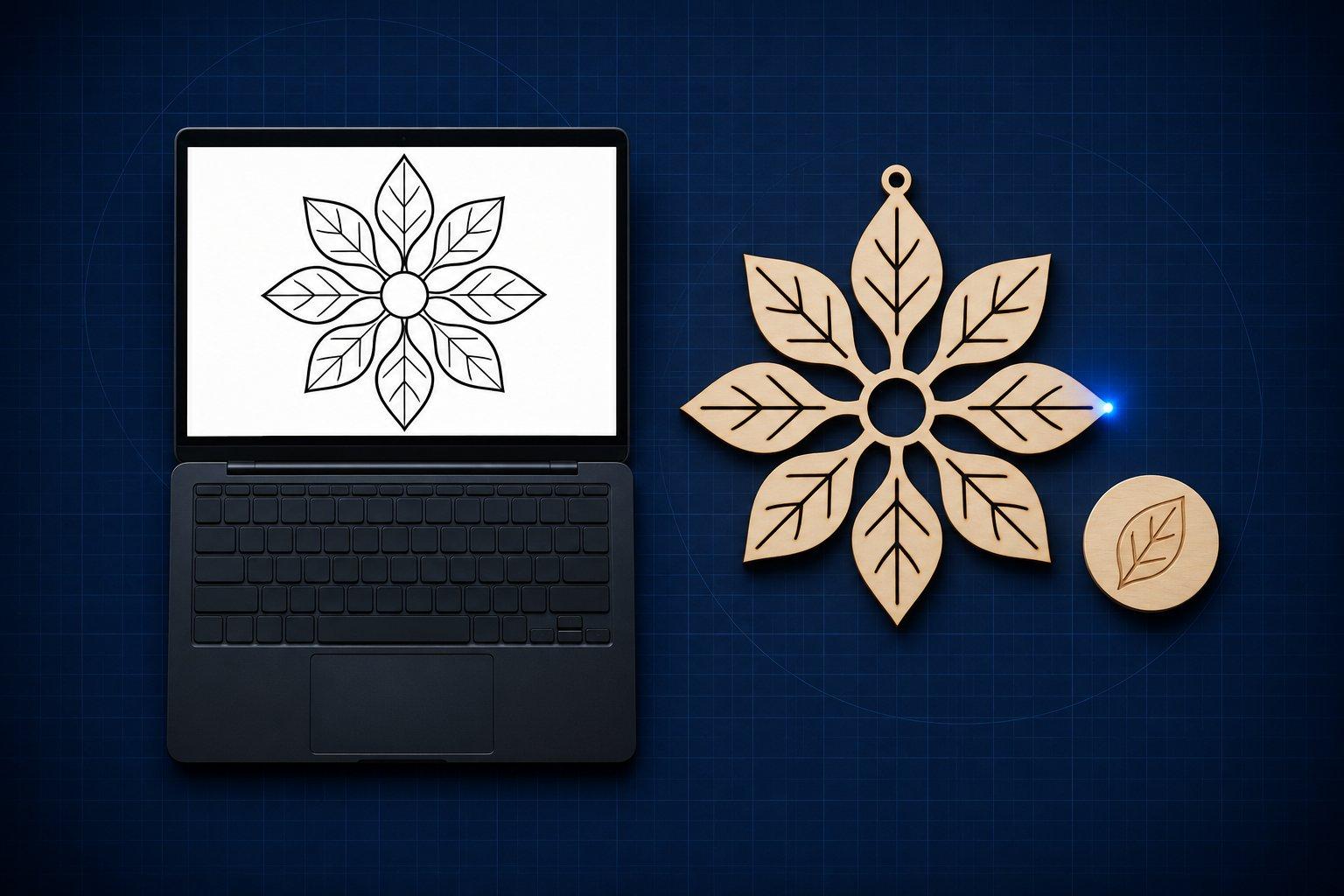
The closest Craftgineer alternatives are LaserBurn AI (a prompt or photo becomes SVG, DXF and PNG files with cut and engrave layers), xTool's Atomm AI, also promoted as AImake (an AI design agent that hands off to xTool Studio), and LaserTools.ai (photo prep, depth maps, meshes and crystal point clouds). No single one replaces Craftgineer's whole toolbox, so choose by the file your machine needs next.
Everything below was checked against each product's own website on 10 November 2026. Voxelase did not run jobs through these services, so this is a comparison of what each one says it produces, what it charges and where it stops. Prices and credit rules change often. Confirm them on the linked pages before you pay.
Craftgineer alternatives by job
| Job | Tool | What leaves the tool | Free option | Pricing model (November 2026) |
|---|---|---|---|---|
| Prompt or photo to cut and engrave vectors | LaserBurn AI | Engrave SVG, cut SVG, combined SVG, DXF with CUT and ENGRAVE layers in mm, PNG | 9 free browser tools; AI generations are paid | Credits: $5 per month for 10, or one-time packs from $9 for 15 |
| AI design inside a machine ecosystem | Atomm AI (xTool AImake) | Bitmap, vector, depth map or 3D model; opens in xTool Studio or downloads | 200 credits at sign-up | Credits; Atomm Pro $9.90 per month, Atomm Max $14.90 per month |
| Text prompt to SVG illustration | Recraft | SVG | Free vector generator on its site | Paid plans not checked |
| Concept artwork | ChatGPT Images, Midjourney, Ideogram | Raster images that still need tracing or dithering | Varies by product | Not checked for this post |
| Raster art to vector paths | Vectorizer.AI | SVG, PDF, EPS, DXF, cleaned-up PNG | Free interactive preview; download needs a plan | $9.99 per month web app |
| Raster art to vector paths, no cost | Inkscape Trace Bitmap, LightBurn Trace Image | Vector paths inside the editor | Inkscape is free; Trace Image is built into LightBurn | No extra charge |
| Photo prep, depth maps, meshes, crystal point clouds | LaserTools.ai | PNG, 16-bit PNG depth map, GLB, OBJ, STL, PLY, DXF | 150 credits every month | Credits; paid plans from $16 per month |
| Photo to 3D relief or depth map, offline | DepthGen Pro (Voxelase's own product) | 8-bit and 16-bit PNG, EXR, STL, OBJ | Separate DepthGen Free edition | One-time purchase |
| Photo to 3D relief or depth map, cloud | SculptOK, Depth-R | Depth maps and bas-relief previews; Depth-R lists PNG and STL export | Check each site | Credits or subscription |
Read the table by row, not by brand. A sign shop that needs closed cut paths and a galvo owner who needs a 16-bit height map are both searching for a Craftgineer alternative, and they need different products.
What is Craftgineer?
Craftgineer is a browser-based toolbox for people who run lasers, CNC routers, 3D printers and cutting machines. Its homepage lists around 20 tools that generate designs with AI, vectorise photos and convert files, plus a maker-focused chat assistant called Craft Chat.
The tools that matter most to laser work, as described on the site:
- Vector Studio generates SVG artwork from a written prompt and a selected style.
- MonoTrace turns photos and artwork into SVG outlines for free, with an optional sketch mode.
- Photo Converter converts a photo into engraving-oriented line art, and DitherLab applies dithering and halftone treatments.
- ReliefMaker creates depth maps from images or AI generation and builds relief meshes for carving or printing.
- MosaicFlow and StackLab split artwork into colour regions for inlays or into stacked layers.
- CutPlan, PuzzleCut and File Converter cover sheet layouts, jigsaw cut lines and format conversion.
The pricing model is a mix. Free tools stay free once you sign in. AI tools cost 1 credit per run, and the site offers 5 free credits when you complete your profile. At the time of writing (November 2026) the pricing page lists Starter at $4.99 per month with 40 credits, Maker at $9.99 with 100 and Engineer at $29.99 with 500. Several tool cards note that downloads require a plan or a one-off payment for that design, so check the card for the tool you want.
The same team also publishes Beam Bench, a free, open-source design and control app for GRBL laser engravers. That is machine software, a separate job from design.
When an alternative makes sense
Craftgineer covers a lot of ground. People usually look elsewhere for one of five reasons:
- You want a DXF with cut and engrave geometry already on separate, named layers.
- You own an xTool machine and would rather design where the machine software already lives.
- You do crystal subsurface work and need a point cloud, not an SVG.
- You want relief depth maps processed on your own computer, not on a server.
- You prefer pay-as-you-go credit packs that do not expire over a monthly plan.
LaserBurn AI: the closest match for prompt-to-vector files
LaserBurn AI overlaps most with Craftgineer's Vector Studio and Photo Converter. You type a description or attach a photo or sketch. The site says it generates the artwork with Google's Gemini image model, prompted for pure black and white with closed shapes, then traces it.
The output is what sets it apart. According to its how-to page, each generation downloads as a zip holding the original PNG, an engrave SVG, a cut SVG with the outer silhouette as a red stroke, a combined SVG with named Cut and Engrave groups, and a DXF (R12) with CUT and ENGRAVE layers in millimetres. The site names LightBurn, xTool, Glowforge and RDWorks as import targets.
Pricing is credit-based with no expiry: $5 per month for 10 credits, or one-time packs of $9 for 15, $15 for 40 and $25 for 80 at the time of writing. Commercial use is included. The site does not advertise free AI generations, but the tools page lists 18 tools with 9 of them free, including a PNG to SVG tracer, a box generator, a living hinge generator and sheet nesting.
The site is candid about fit: it works best for designs with clear shapes such as signs, lettering, emblems and silhouettes, and very photographic scenes lose detail. For a full breakdown, see our LaserBurn AI and LaserTools.ai comparison.
Atomm AI and AImake: the xTool route
Atomm AI is described in its own guide as xTool's AI design agent for makers. xTool's homepage still markets the feature as AImake. It has two modes. Graphic Design makes engraving artwork, cut files, print graphics, vectors, grayscale depth maps for coins and photo reliefs, and 3D models for crystal engraving. Structure Build generates boxes, shelves, lampshades and other objects that are laser-cut from panels and assembled.
Export has two paths: open the design in xTool Studio to set processing parameters and connect the machine, or download the file for other compatible laser or print software. The guide recommends the xTool Studio path for most workflows, which tells you who the product is built for.
Credits work differently from Craftgineer. Atomm's subscription post dated 23 October 2026 states that free accounts receive a one-time 200 credits at sign-up, Atomm Pro costs $9.90 per month with 1,400 credits, and Atomm Max costs $14.90 per month with 2,400. Subscription credits are valid for 30 days and do not roll over. Credits bought separately cost $1 per 100.
What are the alternatives to Atomm AI?
Craftgineer and LaserBurn AI are the nearest machine-neutral alternatives to Atomm AI. Both produce standard SVG files, and LaserBurn AI adds DXF, so the result goes into LightBurn, RDWorks or any software that reads those formats. Atomm AI can also download files for other software, but its guide steers you toward xTool Studio. If your laser runs on LightBurn or LaserGRBL, a machine-neutral generator removes one conversion step.
LaserTools.ai: photo, depth and crystal prep
LaserTools.ai is often grouped with design generators, but its own site describes a different job. It calls itself a pre-processor built around four browser studios:
- Photo Studio: background removal, upscaling, AI prompt edits and AI image generation, exported as PNG.
- Embossing Studio: a photograph becomes a 16-bit grayscale depth map.
- Mesh Studio: a 2.5D relief or full 3D mesh from one photo, exported as GLB, OBJ, STL, PLY or DXF.
- Crystal Studio: meshes and 3D text arranged inside a crystal shape and converted to a PLY or OBJ point cloud for subsurface engraving.
It does not list SVG export or cut-path generation. That makes it an alternative to Craftgineer's ReliefMaker and photo tools, not to Vector Studio. The Free plan includes 150 credits every month with no credit card. Paid plans at the time of writing are Hobbyist at $16 per month (1,000 credits), Pro at $29 (2,000) and Business at $79 (8,000), and unused credits roll over. A depth map costs 2 credits. A 2.5D or 3D mesh costs 50.
General image models and Recraft: artwork first, file second
ChatGPT Images, Midjourney and Ideogram are often stronger than any maker-specific generator at the picture itself. The catch is the output: a raster image with no cut paths, no layers and no physical scale. You still have to trace it for cutting or dither it for engraving. Our roundup of AI tools for laser engraving covers when each of those models fits.
Recraft sits between the two groups. Its vector generator page describes text-to-SVG output with editable paths, plus a converter that turns PNG, JPG or WebP into SVG. It is aimed at logos, icons and illustration, not at lasers, so expect to check line weights, closed contours and colour count yourself.
Whichever model you use, the prompt decides how much cleanup follows. Ask for single-colour line art, closed shapes, no gradients and a plain white background. Voxelase's free AI prompt builder for laser and CNC artwork assembles prompts with those constraints.
Vectorisers: when the artwork already exists
If you already have a logo, a scan or an AI image you like, you do not need a generator. You need a tracer, which is the job Craftgineer's MonoTrace does.
Vectorizer.AI converts PNG, JPG, GIF, BMP and WebP images to SVG, PDF, EPS and DXF. Its site describes a cutting and engraving preset that draws outlines as thin strokes, and DXF options that limit curves to types machine software can read. The preview is free. Downloading production results needs the web app plan, listed at $9.99 per month at the time of writing.
Two tracers cost nothing extra: Inkscape's Trace Bitmap (built on the Potrace library, with Path, Simplify recommended afterwards to reduce nodes) and LightBurn's Trace Image tool, which does the same job inside the laser software. Both work best on high-contrast art with defined edges.
Which tool makes 3D depth maps for engraving?
A depth-map generator, not a vector generator. Craftgineer's ReliefMaker, Atomm AI's relief output, LaserTools.ai's Embossing Studio, LaserBurn AI's Image to Heightmap tool, SculptOK and Depth-R all turn a photo into a grayscale height map in the cloud or the browser.
They differ in where the image is processed and how much you can correct. LaserBurn AI's heightmap page describes a free mode that runs in the browser without uploading the photo and returns a 16-bit PNG, with paid server modes that add smoothing and an STL. LaserTools.ai documents 16-bit PNG output from its emBOSS model. Depth-R lists sliders for highlights, black level and detail with PNG and STL export.
Voxelase's own DepthGen Pro is the offline option in this group. It is a desktop app for Windows and Apple Silicon Macs that runs Depth Anything V2, Depth Anything 3 and Lotus locally. It adds a height brush for manual correction and batch processing, and exports 8-bit and 16-bit PNG, EXR, STL and OBJ under a one-time licence. There is also a free manual tool, DepthGen Free Edition.
One machine note: LightBurn documents its 3D Sliced image mode as galvo-only, and LightBurn 2.1 added 16-bit depth-map support. Whether the extra precision helps depends on pass count, which our guide to 8-bit versus 16-bit depth maps explains.
Is there a free alternative to Craftgineer?
Yes for tracing, prep and depth previews. Not really for unlimited AI generation. Every AI generator here meters its image model with credits.
What you can do for free, according to each site at the time of writing:
- LaserBurn AI: 9 free browser tools, including PNG to SVG tracing, a stencil maker and a 16-bit depth-map mode that needs no sign-in.
- LaserTools.ai: 150 credits every month on the Free plan, which covers up to 75 depth maps at 2 credits each.
- Atomm AI: a one-time 200 credits when you create an account.
- Recraft: a vector generator its page describes as free to use.
- Inkscape: free, open-source vector editing and tracing with no account.
Craftgineer's own free tools, MonoTrace included, are also still free. If cost is your only reason to leave, check whether they already cover the job.
Which Craftgineer alternative exports SVG and DXF?
LaserBurn AI and Vectorizer.AI both export SVG and DXF. LaserBurn AI generates the design and writes the DXF with separate CUT and ENGRAVE layers in millimetres. Vectorizer.AI converts artwork you already have and offers DXF options for machine software.
Recraft documents SVG only. LaserTools.ai exports DXF from Mesh Studio but no SVG. Atomm AI's guide says designs can be downloaded for other software without listing formats on the page checked, so confirm in the app before relying on it.
DXF matters most for software that prefers it over SVG, such as RDWorks and CAD programs. LightBurn imports both SVG and DXF, so either works there. After import, check scale, closed contours and duplicate lines before you cut.
How to choose in five minutes
- Name the file your machine software needs. Cut paths mean SVG or DXF. Photo engraving means a prepared raster. Relief means a depth map or STL. Crystal work means a point cloud.
- Decide whether artwork exists. If it does, use a tracer. If it does not, use a generator.
- Match the ecosystem. xTool Studio users get the shortest path from Atomm AI. LightBurn and RDWorks users get it from standard SVG and DXF.
- Count jobs per month. A few designs suit non-expiring credit packs. Daily use suits a plan. Repeat depth-map production suits a one-time desktop licence.
- Check where files are processed. Uploading customer photos to a server is a different privacy decision from keeping them on your computer.
The practical verdict
Stay with Craftgineer if you use several of its tools across more than one machine. No alternative here matches that breadth.
Switch by job. For prompt-to-vector files with a clean DXF, LaserBurn AI is the nearest match. For an xTool shop, Atomm AI is already wired into the software you run. For photo-driven depth, mesh and crystal work in the browser, LaserTools.ai is the specialist. For artwork you already have, a tracer is cheaper than any generator. For private, repeatable relief production, use a local depth-map app.
No AI tool sets power, speed or focus for your material. Whatever you pick, run a small test on the actual stock before the full job.
Sources
- Craftgineer: AI Tools for Makers and Crafters (homepage and tool list)
- Craftgineer: Pricing
- LaserBurn AI: How to Use LaserBurn AI
- LaserBurn AI: Laser Cutting Tools and Generators
- Atomm: What Is Graphic Design in AIMake
- Atomm: Atomm Pro and Max Plans, Pricing and Credits
- LaserTools.ai: Frequently asked questions
- Vectorizer.AI: Pricing for the Web App and API